.svg)
Product News
December 2025 Release: One platform for modern review workflows

Published on
December 11, 2025


In this article

This December release strengthens Iconik's review and collaboration capabilities across every device and workflow. Native mobile apps, professional desktop playback, a more refined review experience, and smarter automation, plus improvements to automations, transcoding integrations, and admin tools.
- Native iOS app (iPhone & iPad) for mobile review and approvals
- Iconik Player for master-quality playback and synchronized review
- Continued improvements to the new Iconik Review Experience based on your feedback
- Magic links authentication for secure external shares
- New automation actions for smarter workflows
- Hiscale FLICS cloud storage support
View more details via the Release Notes
iOS app 1.0: One platform to stay connected, wherever you are

Approvals don’t always happen at your desk. They happen on set. In transit. Between calls. Wherever your decision-makers actually are. And if your review tool requires someone to be tethered to their laptop, that’s slowing you down.
The new Iconik mobile iOS app puts your full review workflow in your pocket. It’s optimized for iPhone and iPad, built natively, and ready to download today [link]. Here’s what you can do:
- Review assets with touch-optimized playback
- Add comments and annotations directly on clips
- Search your entire media library
- Share assets for review and approval
Your iPad shouldn't feel like a workaround. The Iconik iOS app meets people where they already are. Which means faster decisions, clearer communication, and fewer delays caused by someone being away from their desk.
Available: Download now from the App Store. Works with all Iconik plans.
The Iconik Player: Professional playback and synchronized review without compromise
Browser-based proxy review works well for approvals and rough cuts. But when you have to scrutinize color grades, check VFX compositing, or make final delivery decisions, you need master-quality playback.
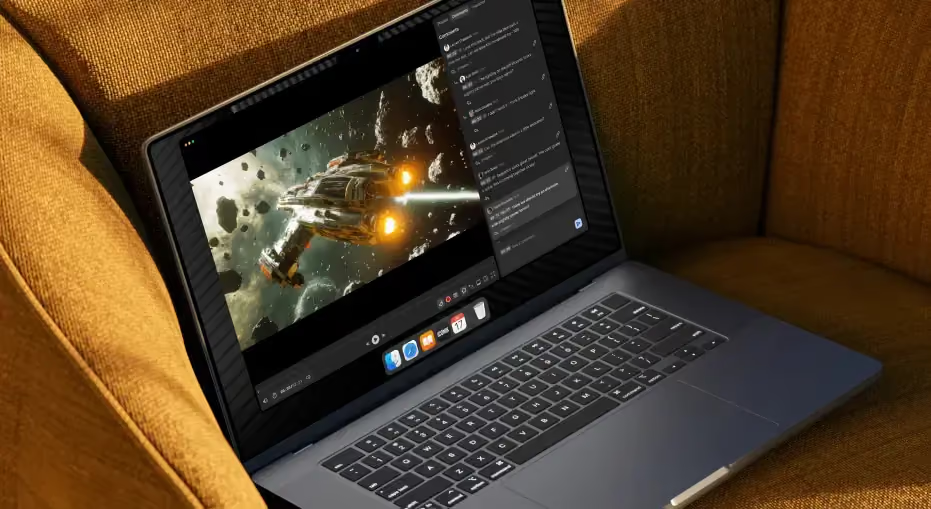
The new Iconik Player is a desktop app that brings high-resolution playback and real-time collaboration to your post-production workflow. Built on the award-winning Cinesync platform and deeply integrated with Iconik, it lets your team:
- Play formats browsers can’t: ProRes 422, 32-bit EXR, image sequences, and more
- Run frame-accurate review sessions with synchronized playback
- Collaborate in real time using shared annotations and live comments
- Optimize bandwidth by letting artists review local masters while clients stream proxies
- Access assets, collections, and playlists directly from the player
The creative decisions that distinguish good work from great work often emerge when teams can view the same frame simultaneously and collaborate in real-time. When your finishing artist is pixel-peeping a grade or your post supervisor is making high-stakes creative calls, you shouldn't have to choose between quality and collaboration, or sacrifice unified workflows for professional playback. The Iconik Player gives post-production teams everything they need – master-quality fidelity, synchronized collaboration, and centralized feedback – without forcing you to leave your review workflow.
Availability: Enterprise and Pro plans only. Mac and Windows supported. Contact your account team for set-up details and technical requirements.
One connected review experience in Iconik
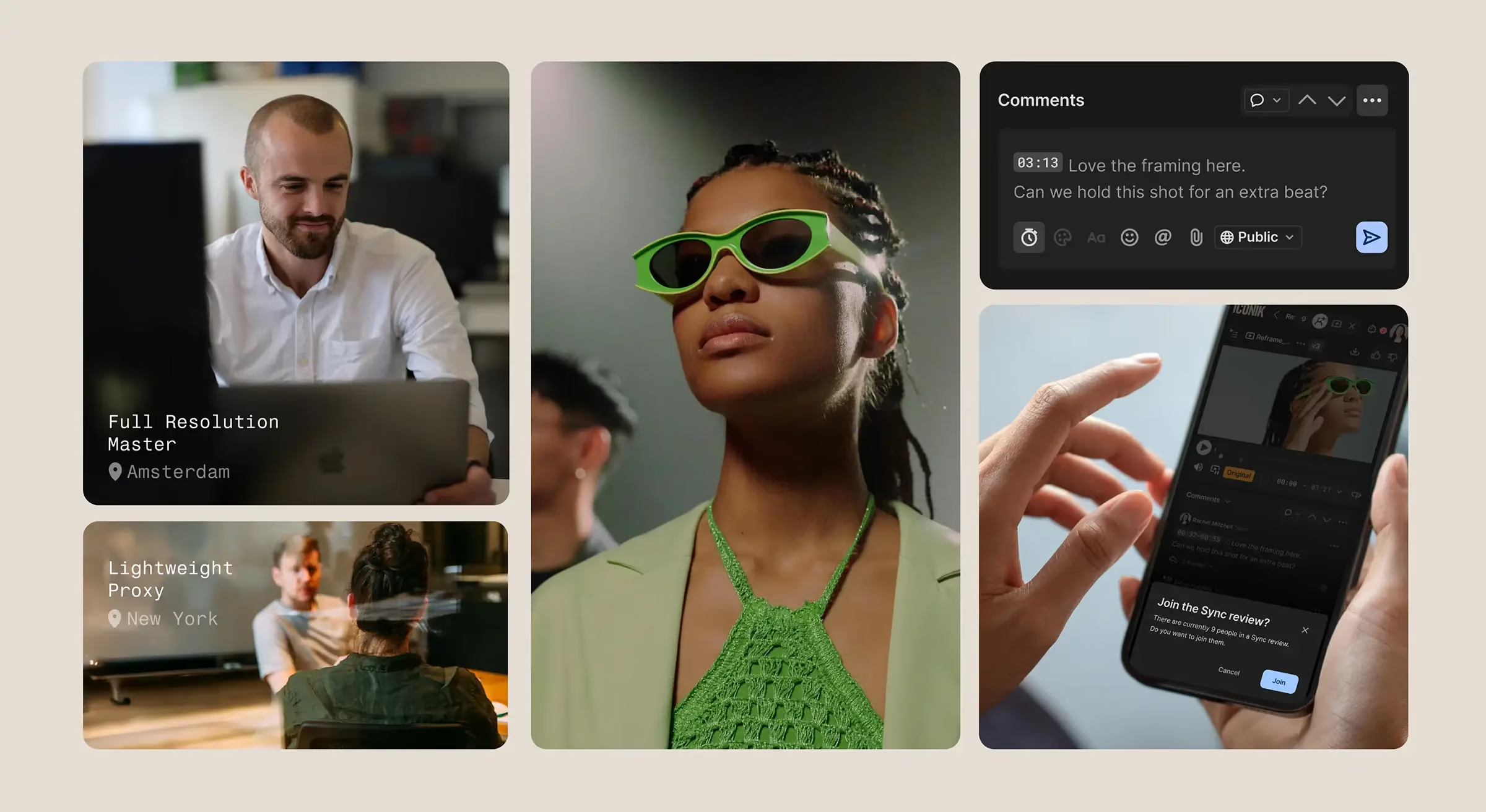
Whether your team is reviewing in the web browser, Iconik Player, or iOS app in Iconik today, everything – comments, drawings, annotations – stays tied to the same asset. No silos. No separate version histories. No wondering which platform has the latest feedback.
The new Iconik Review Experience creates a single, unified record of creative collaboration. A producer can comment on set via the iOS app, an editor can respond from the web interface, and a VFX supervisor can add frame-specific notes from the desktop app; all feeding into one conversation.
This is how modern media collaboration should work.
Continued review experience improvements
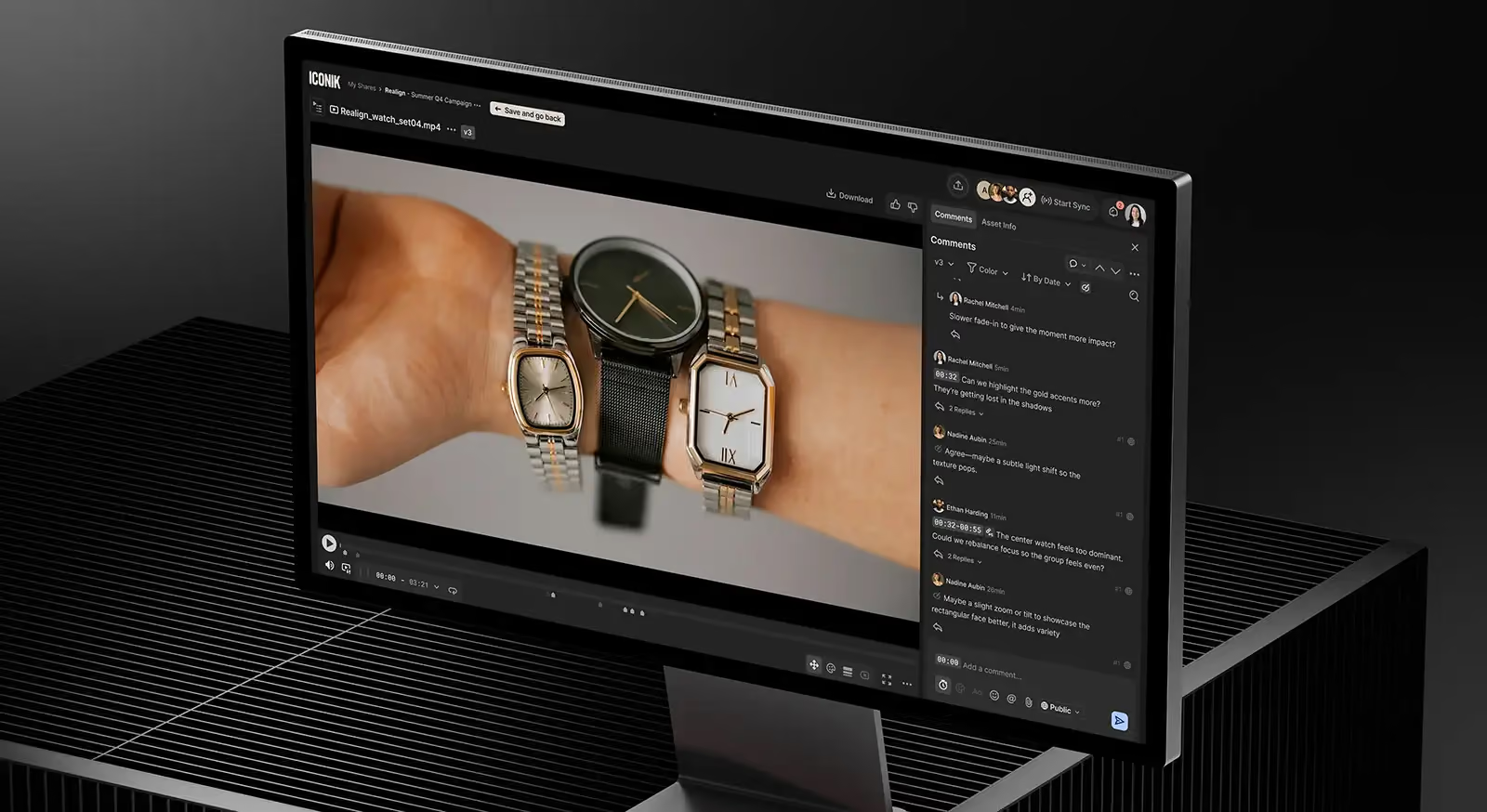
We've been steadily closing feature gaps and refining the review experience based on your feedback. We’ve recently added capabilities that make it faster to navigate content, automate reviews, and manage your content.
For the complete list of updates and how to use them, see the release notes.
Magic links authentication: Even more secure external sharing
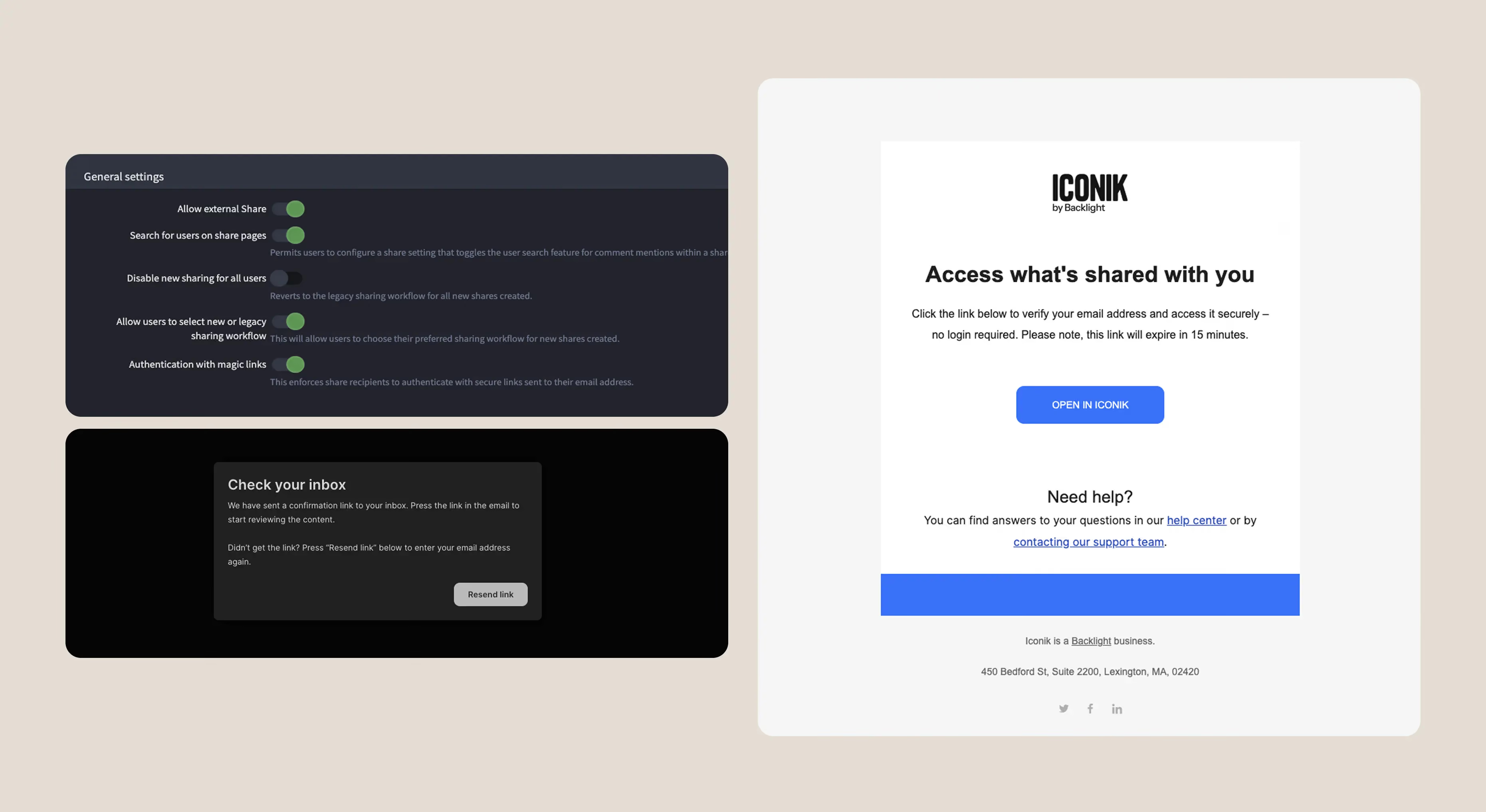
Share links make collaboration easy, but some projects demand tighter access control. When you're sharing sensitive footage—unreleased campaigns, confidential client work, pre-release content—you need assurance that only intended recipients can view your reviews, not anyone who happens to have the link. That's why Iconik already offers watermarking, password-protected shares, expiration dates, and ACLs to protect your content.
And now, we’re adding another way to protect your content: Magic Links authentication. Recipients click your share link, enter their email address, and receive a secure authentication link in their inbox. Click that link, and they're in; verified, logged, and authorized.
Security shouldn't mean friction, and convenience shouldn't mean risk. Magic links give you both: the ease of sharing a link with the confidence that only intended recipients can access the content.
Availability: All Iconik plans
Hiscale FLICS integration cloud support: Transcode across your entire infrastructure
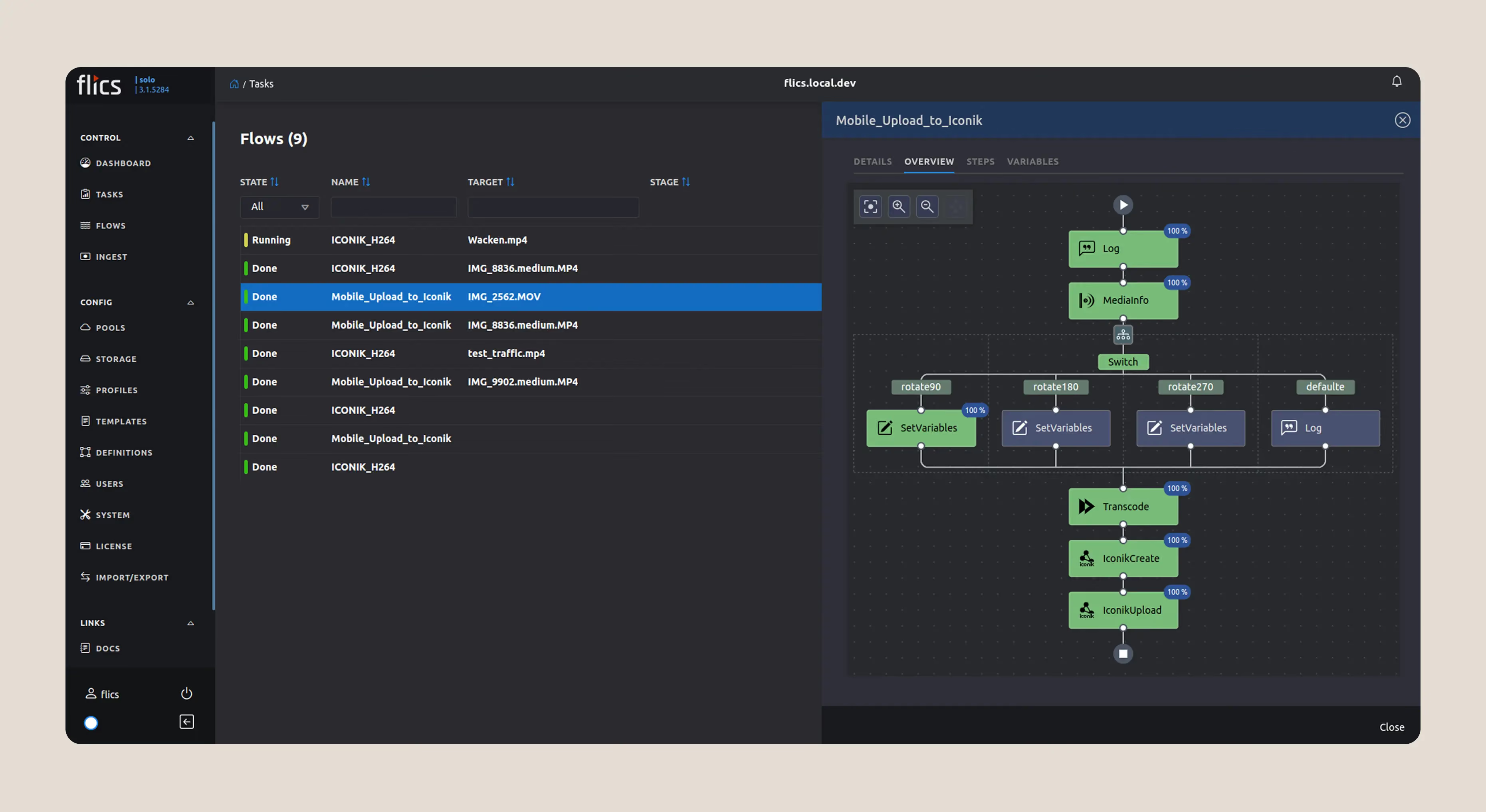
If you’re using Hiscale FLICS for high-performance transcoding of RAW and complex formats, Iconik’s Hiscale integration now supports assets stored in the cloud, not just those managed through ISG, letting you run your preferred transcoding workflows across your entire media ecosystem. Whether your assets live in Iconik-managed cloud storage, a bring-your-own-bucket configuration, or on-prem via ISG, FLICS can now process them all.
This update gives teams even more architectural flexibility. You chose FLICS for its performance with demanding formats. Now you can use it wherever your media lives without limiting your workflow.
Availability: All Iconik plans
New Automation Engine actions: Work smarter, not harder
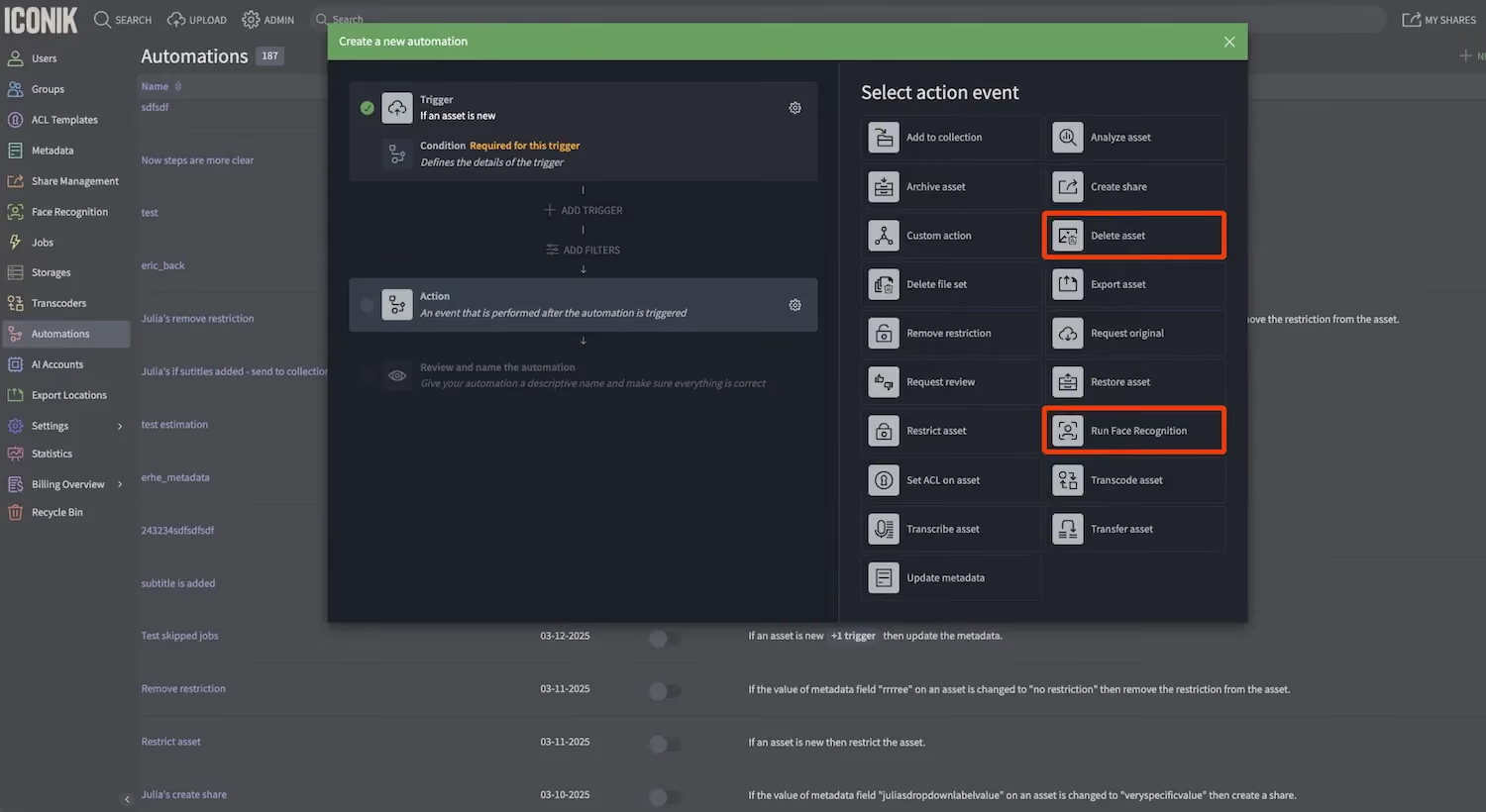
The Iconik Automation Engine keeps getting more powerful. This release adds new automation actions that eliminate repetitive tasks and keep your workflows moving automatically.
New actions:
- Delete file sets - Automatically remove temporary files, outdated proxies, or unused file formats based on your criteria
- Run Face Recognition - Trigger face detection and tagging as part of your ingest or QC workflows
If you haven't explored Iconik's Automation Engine yet, now's a great time. Automations can handle everything from metadata management and transcoding workflows to notifications and custom integrations, turning hours of repetitive work into background processes that just happen.
Why this release matters
Building software that earns your trust means two things: listening to what you're asking for, and anticipating what you'll need next. This December release delivers both.
You told us mobile review matters. You asked for improvements across the new Iconik review experience. You needed the power of desktop playback without sacrificing the unified workflows that keep teams aligned. We heard you.
But we also looked ahead. A review experience that works the same way whether you're approving a cut from your iPhone or conducting frame-accurate VFX sessions from a professional workstation. Collaboration tools that eliminate the friction between "getting feedback" and "getting it done." These are the investments we've made in where we believe media collaboration is headed.
This December release delivers one of the most feature-rich media review platforms built on modern infrastructure. Whether your team is running high-stakes finishing workflows or fast-moving production reviews, Iconik now scales from mobile approvals to frame-accurate desktop collaboration, all within one unified platform where every device, every user, and every piece of feedback connects into a single source of truth.
Because the best creative decisions happen when teams can work the way they need to, wherever they are, without the technology getting in the way.
Try it today and tell us what you need next.
The future of media collaboration isn't one device, one format, or one kind of user. It's all of them. And we're building Iconik to meet that future, now.
Chris McMahon is a Senior Product Marketing Manager at Backlight, specialising in positioning, messaging, and go-to-market strategy for complex SaaS products. He has over a decade of experience helping creative and technical teams understand cloud-based media and collaboration technology, with a background that spans product marketing, content strategy, and editorial leadership. Chris has launched multiple products, built global sales enablement programs, and shaped value narratives for partners including AWS, Google Cloud, and Adobe. He is based on the south coast of the UK.

.avif)