.svg)


In this article

Overview
- Manage shares with a new UI: See what’s been shared, how often it’s been visited, and more.
- Multi-select options in metadata fields: Enjoy greater convenience when multi-selecting options in metadata fields.
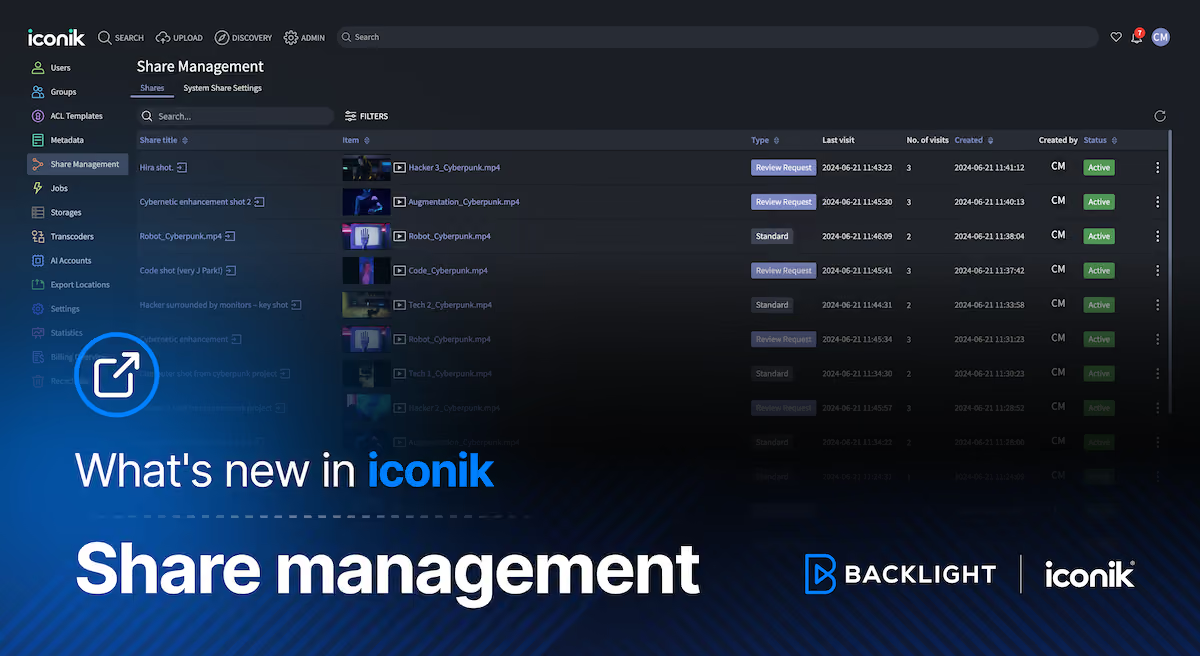
We’re pleased to roll out an exciting new Share Management UI that makes it easy to see what your team is sharing from your iconik domain and who’s taking a look!
Let’s explore in more detail.
Share Management – Manage shares and get insights via a new UI
We’ve rolled out the new Share Management feature. It sports a fresh new UI so admins can keep an eye on all the shared content across a domain. Now, you can easily track every asset that’s been shared, see who’s checking them out, and keep tabs on how often they’re viewed.
With Share Management, you’ll be able to see the following by asset or by share:
- Asset details: View share and asset names, who created the share and when, and its current status (active or expired).
- Engagement: See how many times each asset has been visited and shared, and when the last visit was.
- Share Type: Determine whether shares are for general viewing or specific for review and approval.
Additionally, you have the capability to update details around each share, such as who has access or when the share expires, as well as activate or deactivate shares directly from this interface, giving you immediate control over your content.
This latest update is part of our ongoing effort to enhance Share Management, which includes the Default Settings for Shares feature we introduced back in March. You can find both features easily accessible through the Admin interface.


Improved multi-select options in metadata fields
We’ve also added a minor update to iconik to improve how you manage metadata fields. Previously, you could select multiple metadata fields in iconik, but to do so, you had to close and reopen the menu after each selection. No more! Now, you can now select multiple options without the hassle of reopening the menu after each selection. Hopefully this streamlines your workflow, reduces unnecessary interactions, and makes your iconik experience that much more smooth.

And that’s a wrap for the latest from iconik! Watch this space for more.

Chris McMahon is a Senior Product Marketing Manager at Backlight, specialising in positioning, messaging, and go-to-market strategy for complex SaaS products. He has over a decade of experience helping creative and technical teams understand cloud-based media and collaboration technology, with a background that spans product marketing, content strategy, and editorial leadership. Chris has launched multiple products, built global sales enablement programs, and shaped value narratives for partners including AWS, Google Cloud, and Adobe. He is based on the south coast of the UK.

.avif)