Web
November 4, 2026
AI Metadata Enrichment adds a Prompt Playground and automations, shares can be scheduled, and more
AI Metadata Enrichment: run it automatically, try a prompt before putting it into production, and more
Getting a prompt just right usually takes a few tries, and you want to know what it will do before it touches your library. These updates let enrichment run without anyone starting a job, give you room to experiment, offer more for a prompt to draw on, and put you in control of what gets filled.
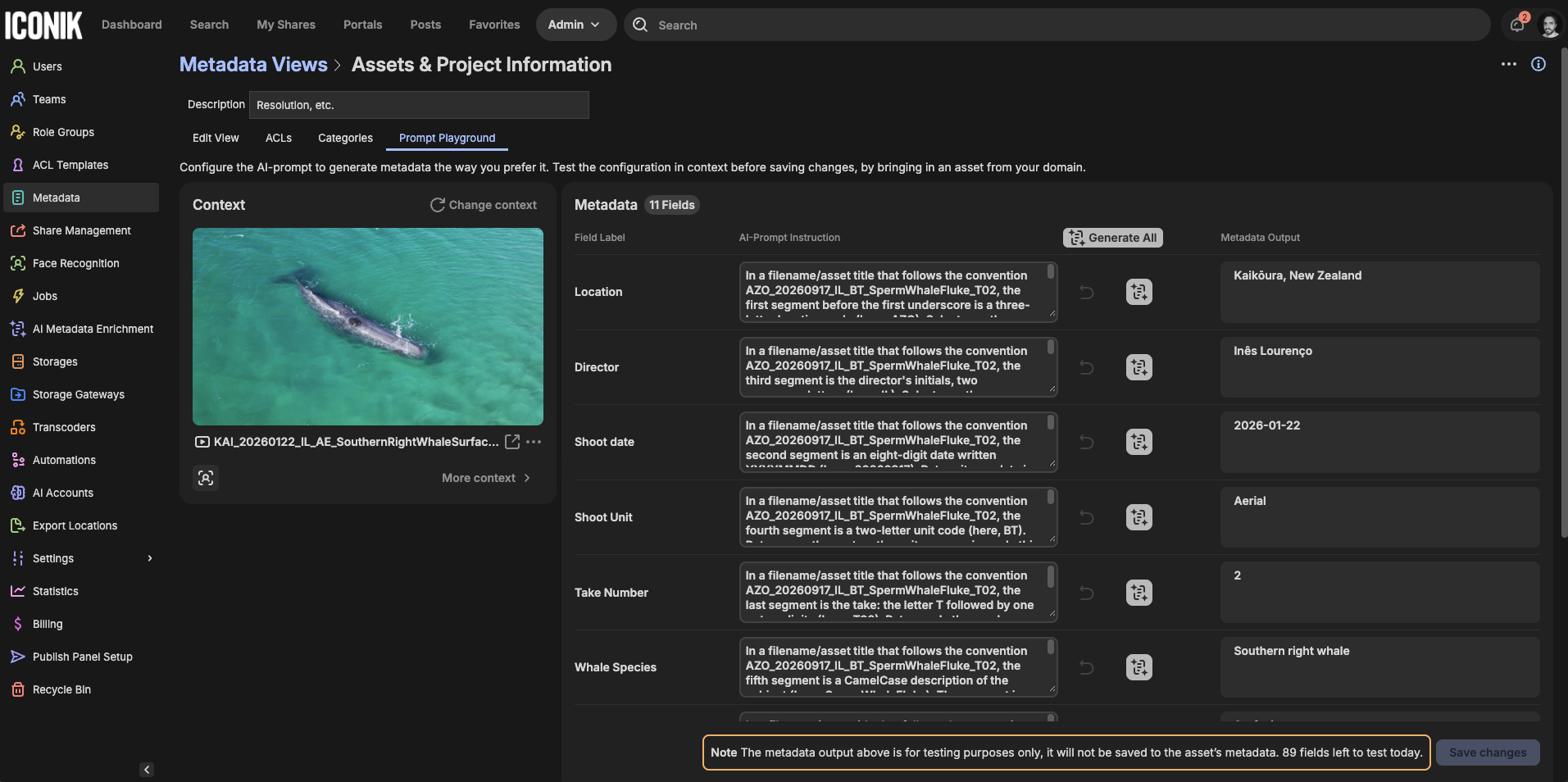
- Prompt Playground: Try a prompt on an asset and see what it returns before you rely on it, so you can experiment freely before pushing an AI Metadata Enrichment field into production. Test runs don't use AI Credits and aren't counted for billing. Each user has a daily limit on runs and assets. You can find the Prompt Playground in Admin > Metadata. Select the view you want to experiment with and select the Prompt Playground tab.
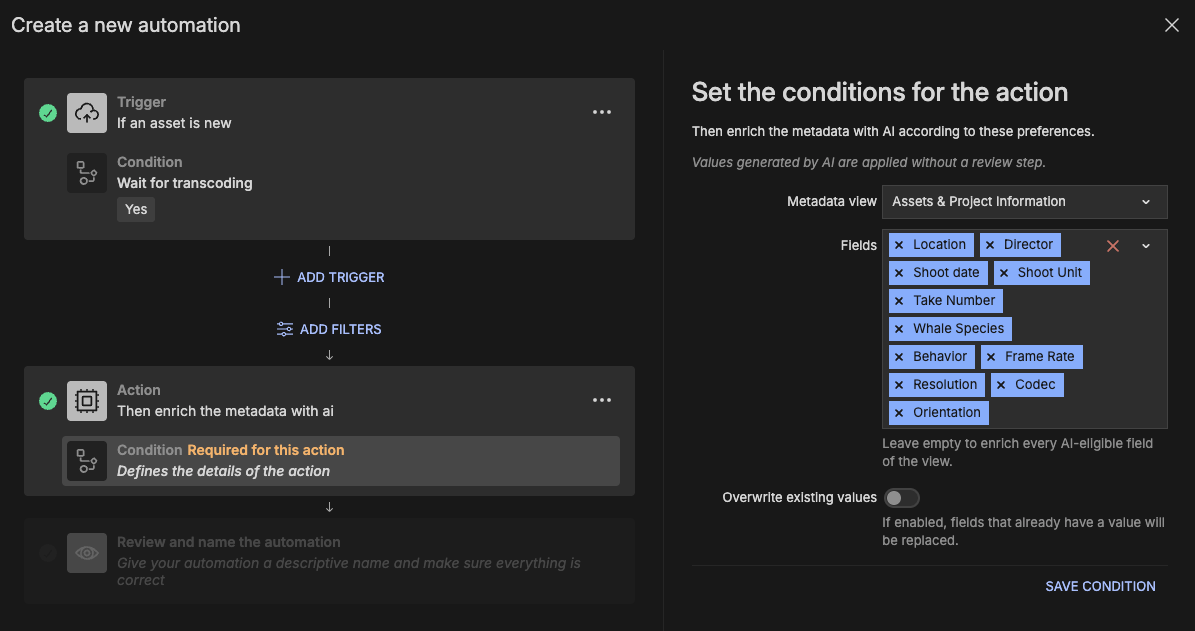
- AI Metadata Enrichment in Automations: Metadata can now fill itself in as content arrives. Choose a trigger, such as a new asset, an asset added to a collection or a change in approval status, then add the "Enrich metadata with AI" action to an automation. You can pick the metadata view and either every AI-eligible field in it or just the ones you name, and use the "Overwrite existing values" switch to decide whether existing values are replaced. Values go straight onto the asset are marked as AI-generated like any other AI Metadata Enrichment value.
- Enrichment reads more of what Iconik knows about an asset: A prompt can now draw on an asset's external ID, category and warning fields, import date, collection metadata, and subtitle and caption text. That's more context to get the answer right, whether the detail you need is a project code in an ingest ID or a name in the captions.
- Exclude fields from metadata enrichment: Some fields are best left to people. Metadata admins can tick "Exclude from AI metadata generation" in a field's settings, and the field is greyed out in the field picker with the note "AI-enrichment is disabled for this field." Select all skips it, so those fields stay in your team's hands.
- Updates to the AI Metadata Enrichment admin page: Each bulk job now shows the collection or saved search it ran on, linked so you can jump straight there and see at a glance what a job covered.
Share scheduling: choose when a share becomes available
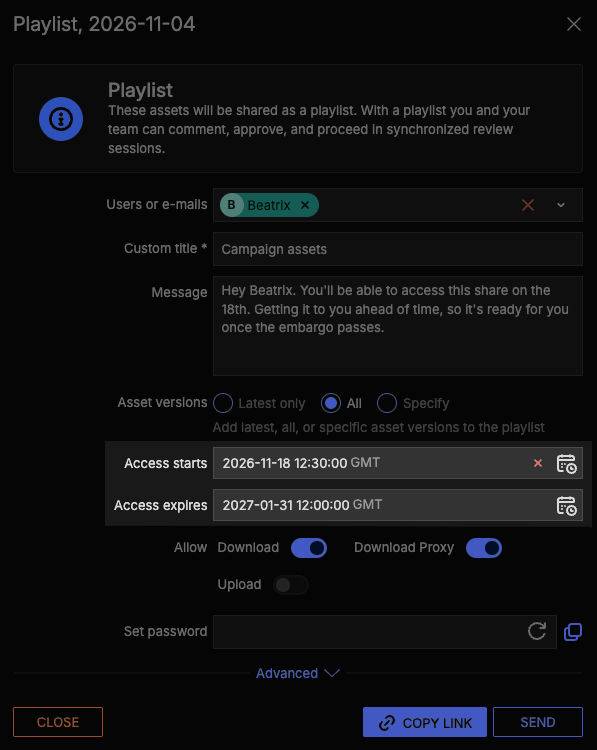
Create and send share links in advance with confidence. Set a start date and time on any asset, collection, playlist or portal share, and the content stays locked until then, so you can prepare for a launch or press embargo without risking a leak. Times show in your local time zone. You can also set an expiry date, as per usual. External users who open the link early will be able to see when it becomes available. If you share by email, the email goes out when you create the share, not when the start time arrives, but users still won’t be able to access it until the embargo date passes. Share owners, domain owners and internal users with can_write_acls permission on the shared item can preview a scheduled share to check what's inside. My Shares labels the share as “Scheduled.”
Share scheduling is available on Pro and Enterprise plans.
Brand Portals: branded share emails
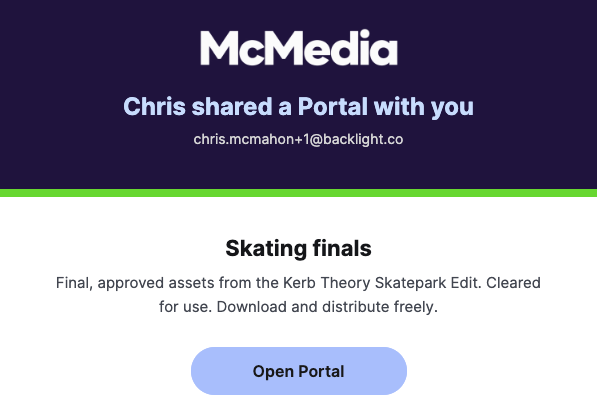
You've built a portal that looks like your brand. Now the email that opens the door looks like your brand too. A top banner in the portal's brand color and an Open portal button in its accent color mean your client knows whose work they're about to see before they've clicked a thing.
Comments: find feedback with attachments faster
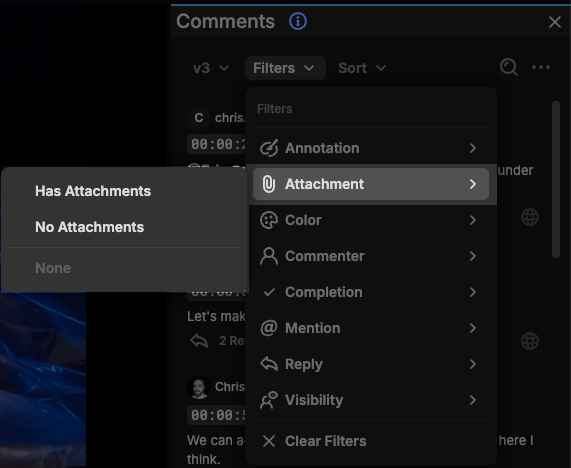
Filter the Comments panel by whether a comment has attachments, so you can jump straight to the feedback that comes with a reference image or file.
MCP: decide what your AI tools can reach
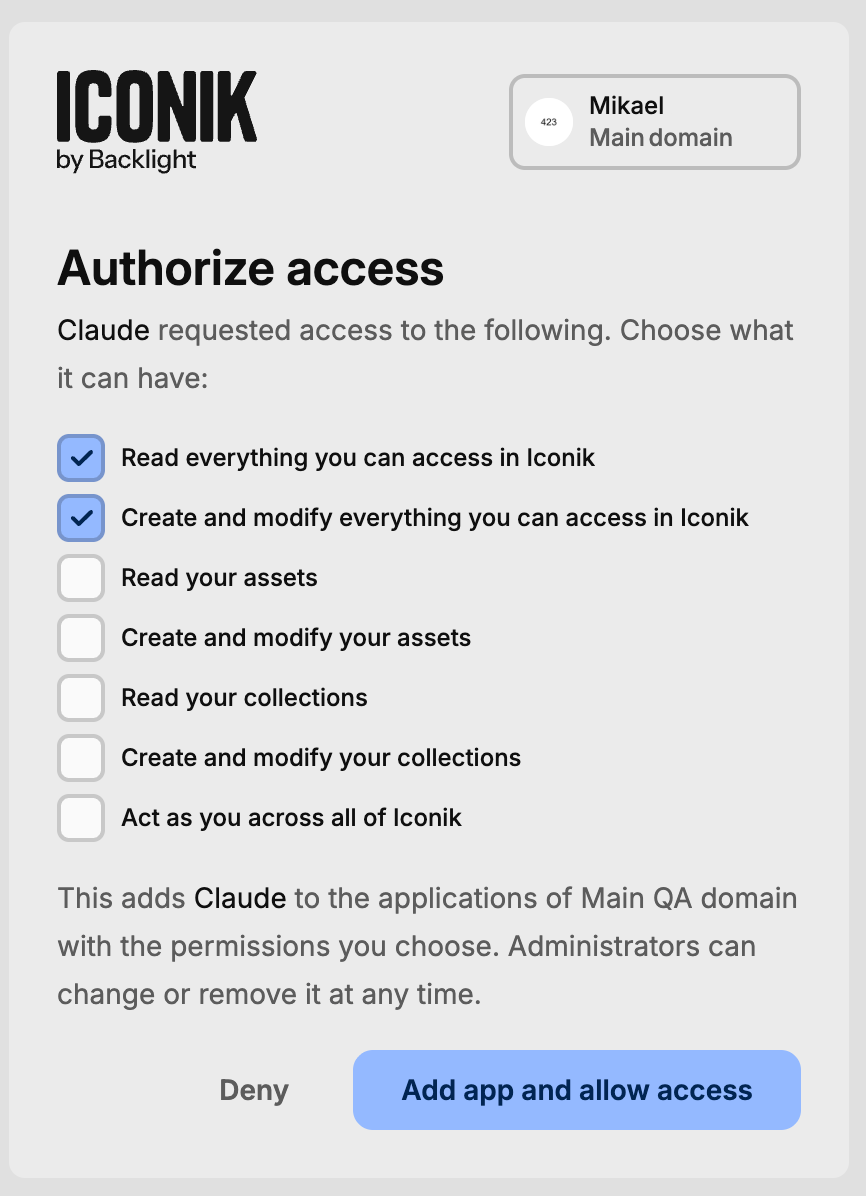
New Read everything and Write everything scopes give an AI tool broad read or write access in one step, and it never goes beyond what the signed-in user can access in Iconik.
Create collections from search results: now with more flexibility
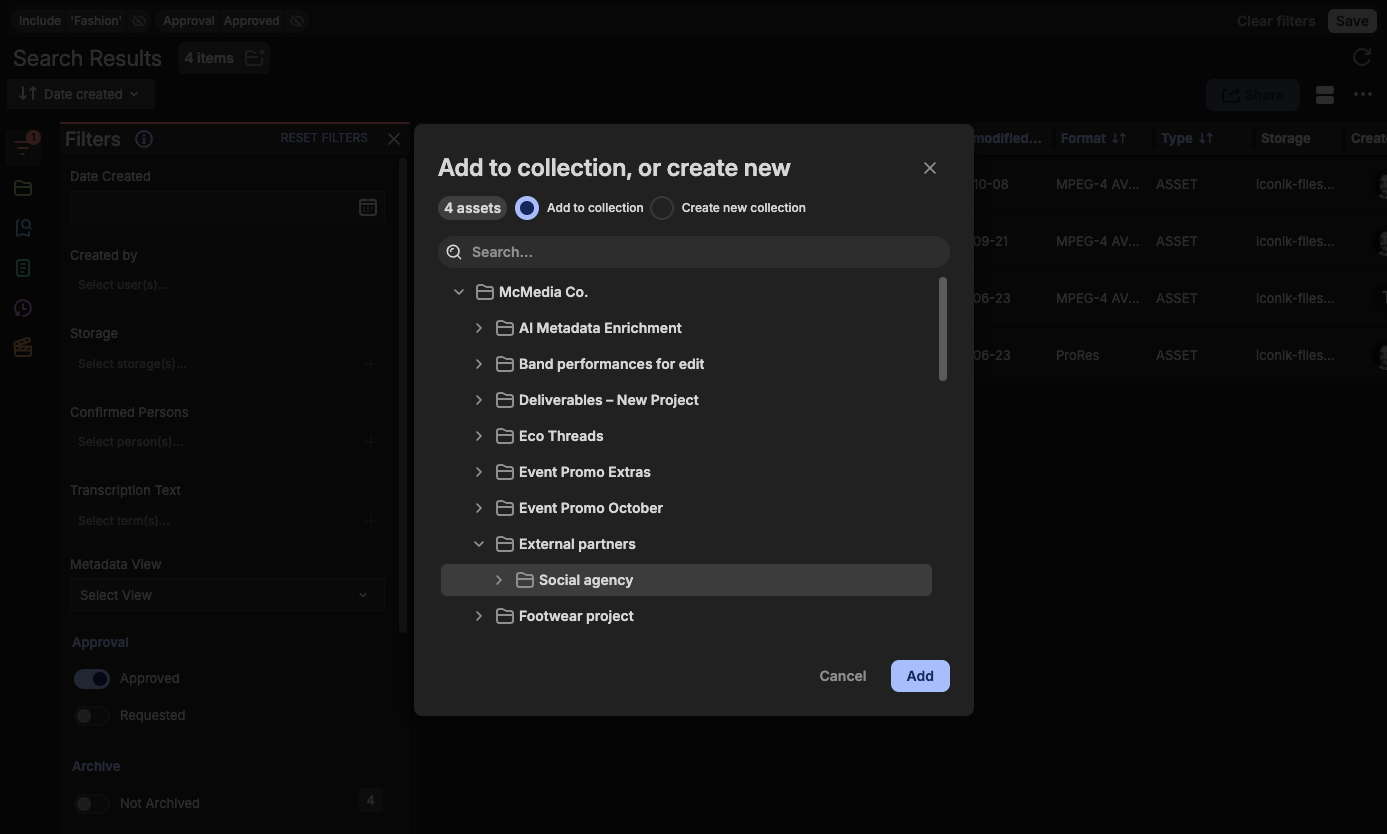
We recently released a way to turn a set of search results on the main Search page into a collection. Now you have more control over where those results go. Create the new collection anywhere in your collection tree, not just at the root, or add the results to an existing collection or sub-collection. Either way, a big search ends up exactly where your team will look for it.
CI HUB integration: use Iconik media without leaving the app
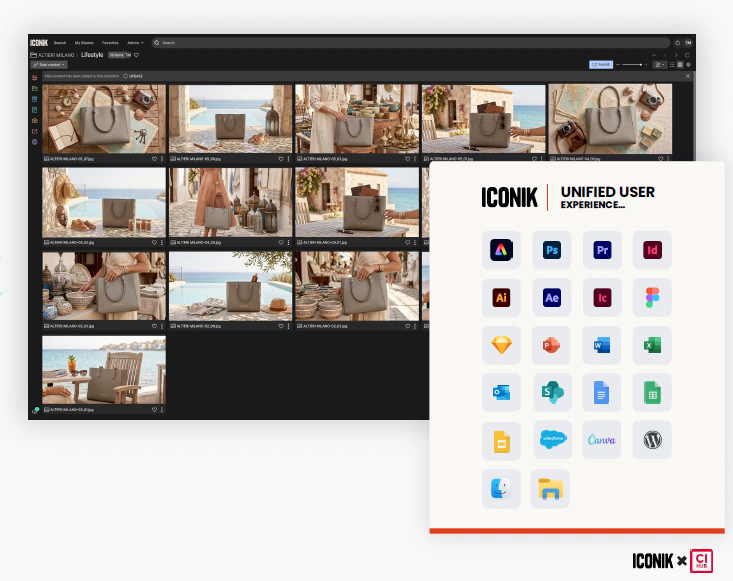
Your media lives in Iconik, but the work happens in Microsoft 365, Google Workspace, Figma, Canva and more. The CI HUB integration brings Iconik media into those apps, so you can search, browse, preview and drag assets straight into a project, design or presentation. There's no separate login, no download and re-upload, and no local duplicate files. Placed content stays linked to its Iconik source, so when a newer version lands, CI HUB flags it and relinking takes one action. Metadata travels with the file and Iconik permissions are respected, so the rules you've set still apply wherever the asset ends up. CI HUB Drive also shows your Iconik collections as folders in Finder or File Explorer, so apps that don't have a CI HUB panel can still reach your media. Learn more →
📍Availability:
- Share scheduling is available on Pro and Enterprise.
- AI Metadata Enrichment is available on all plans and draws on your AI credits, apart from test runs. Domain Owners control AI features in the AI settings, and if AI is switched off for the account, enrichment doesn't run.
- Brand Portals updates, including branded share emails, are available on Pro and Enterprise.
- MCP is available on Pro and Enterprise.
- The CI HUB integration is built and supported by CI HUB and is available today. Start a free trial or contact CI HUB sales to get set up.
Everything else is available to all Iconik users.
