.svg)
Product News
The Iconik Publish Panel: Publish from where your media already lives

Published on
May 29, 2026


In this article

Content teams are being asked to do more with every asset.
More channels. More versions. More campaigns. More regional requests. More social cuts. More stakeholder asks. More pressure to move quickly from finished content to audience-ready output.
But the work of distribution often hasn’t caught up with the volume of content teams now manage.
For many media organizations, the final step from approved asset to published content still depends on a chain of manual handoffs: downloading files, uploading them into separate systems, recreating metadata, checking destination requirements, managing thumbnails separately, confirming access, chasing status updates, and hoping nothing breaks along the way.
That final mile matters.
It is where speed slows down. It is where governance gets harder to maintain. It is where metadata gets lost or recreated. And it is often where teams lose visibility once an asset leaves the media library.
That is why we are introducing the Iconik Publish Panel: a native publishing experience that helps teams move finished video assets from Iconik to connected destinations with less friction, more consistency, and greater control.
From managed asset to published output
Iconik helps teams manage, organize, collaborate on, and control access to media assets. But the content lifecycle doesn’t end at approval. The next challenge is getting that content to the right destination, in the right format, with the right metadata, branding, thumbnail, and permissions intact.
The Iconik Publish Panel brings that publishing workflow closer to where the media already lives.
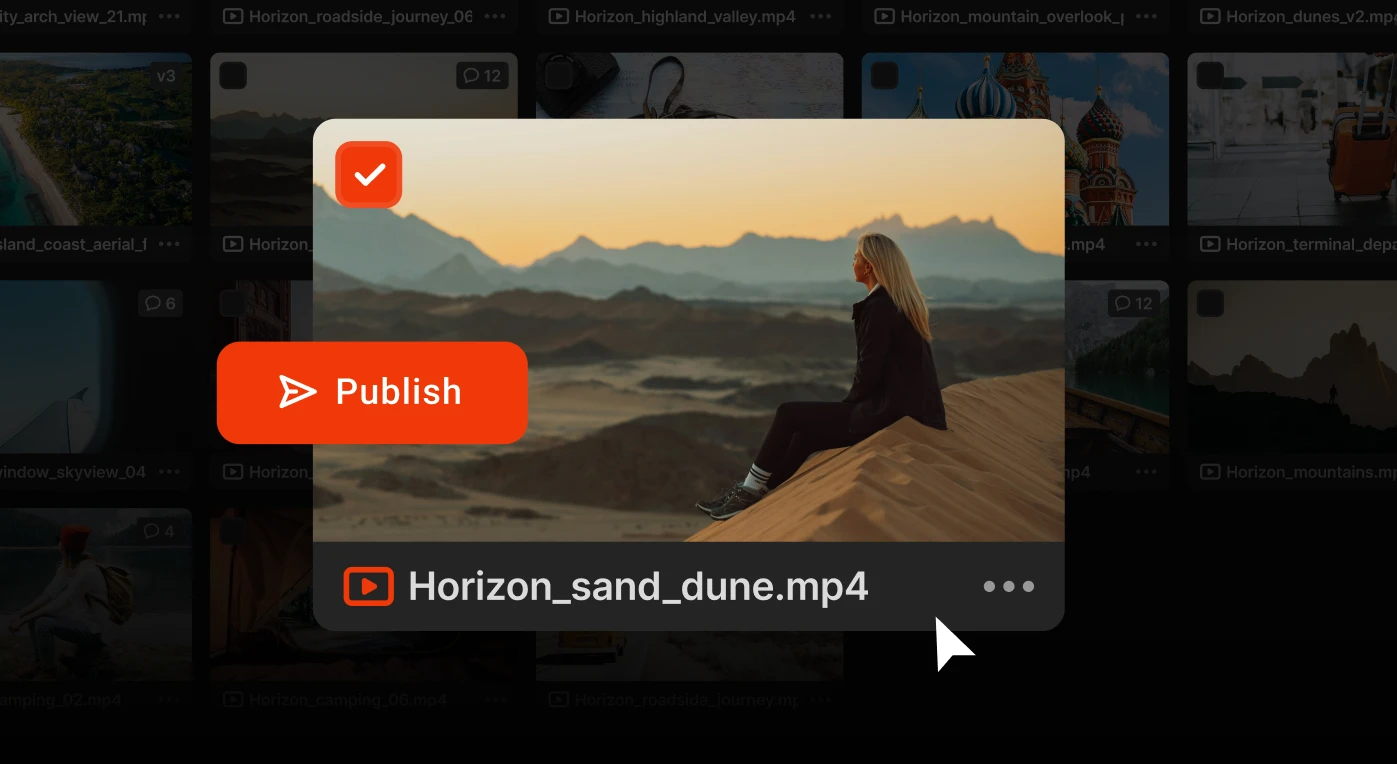
From a finished video asset in Iconik, users can open the Publish Panel, select a publishing template, choose one or more connected destinations, add or review publish metadata, select a thumbnail, and trigger publication — all from within the Iconik interface.
That means teams can move from:
manage → approve → export → upload → configure → check → chase
to:
manage → approve → publish → monitor
It is a simpler path from asset management to content activation.
Publish using governed templates
As content output grows, repeatability becomes critical.
Publishing one video to one destination is manageable. Publishing hundreds of assets across multiple platforms, brands, regions, channels, and endpoint types is where the operational burden starts to compound.
The Iconik Publish Panel uses templates to help teams standardize how content gets distributed.
Templates can be configured to support destination rules, metadata requirements, branding elements, thumbnail treatments, and other publishing parameters. That gives teams a more repeatable way to execute common publishing workflows without asking every user to manually recreate the same configuration each time. For teams managing high volumes of content, templates help reduce inconsistency, minimize manual setup, and keep publishing workflows aligned with the organization’s standards.
Publish to the destinations that matter
Today’s media supply chain does not end in one place.
Teams may need to distribute content to social platforms, YouTube, owned and operated OTT platforms, third-party platforms, CMS destinations, FTP or Aspera endpoints, and other custom or bespoke delivery destinations. The Iconik Publish Panel is designed for that reality.
Users can select from the destinations they are authorized to publish to, based on the configuration and permissions managed by the organization. That means publishing can move faster while still respecting destination-level control.
The result is not just faster output. It is faster output with guardrails.
Keep control as content moves outward
The more destinations a team supports, the harder media governance becomes.
Who has access to which channel? Who is allowed to publish where? What branding is approved for each destination? Which metadata fields should be visible or editable? How do you reduce risk without slowing everyone down?
The Iconik Publish Panel is built around the idea that publishing should not require teams to give up control.
Iconik remains the source of truth for users and groups, while permissions can be reflected in the publishing workflow. Users see the assets, templates and destinations available to them, helping organizations manage access without forcing every publishing action through a bottleneck or giving the social media intern direct access to every platform. This is especially important for large-scale media organizations where multiple teams, brands, markets, or editorial groups may be working from the same media library but publishing to different endpoints.
The goal is simple: help teams move faster without turning distribution into a free-for-all.
Use metadata without recreating it from scratch
Metadata is one of the most important parts of the publishing workflow — and one of the easiest places for friction to creep in.
When publishing happens outside the media library, teams often have to recreate titles, descriptions, tags, and other fields manually. That adds time, creates room for error, and separates the published post from the context already attached to the asset.
With the Iconik Publish Panel, publishing metadata can be completed as part of the workflow in Iconik. Templates can also use Iconik metadata variables, helping teams carry existing asset metadata into the publishing process where appropriate.
For teams managing large catalogs or repeatable distribution workflows, this helps reduce duplicate work and preserve continuity between the asset record and the published output.
Choose the right thumbnail before publishing
Thumbnails are often treated like a last minute detail until they become a source of delay.
The Iconik Publish Panel includes thumbnail support so users can select the right image before publishing. Depending on the workflow, users can choose from options such as the poster keyframe, an image from the Iconik library, or an uploaded external image.
That gives teams more control over how content appears at the destination without requiring a separate thumbnail management step outside the publishing flow.
Scale beyond one-off publishing
Not every publishing workflow starts with a user manually opening a panel.
For some teams, the publishing plan already exists somewhere else. A marketing team may manage a calendar in Airtable. An operations team may have a spreadsheet defining assets, destinations, titles, descriptions, tags, and timing. A media organization may need to publish a large catalog of videos across many endpoints.
The Iconik Publish Panel is designed to support these higher-volume workflows too.
In addition to publishing from the native panel, publishing can be triggered through Iconik’s automation engine or orchestrated through a Publish API. That means teams can execute repeatable, large-scale publishing workflows without manually running every publish action.
For organizations operating at scale, this is where the value expands beyond convenience. Publish Panel becomes part of a larger distribution workflow — one that can support both editorial users and more automated operational models.
Monitor publish jobs after they are triggered
Publishing should not feel like sending content into a black box.
Once a publish job is triggered, teams need visibility into what is happening. Has the job started? Is it still processing? Did it complete? Who initiated it?
The Iconik Publish Panel includes job monitoring so users can track publication progress after a job is triggered. This gives teams a clearer view of publishing activity and helps reduce the manual follow-up that often happens after content leaves the library.
For managers and operators, that visibility helps teams understand what is moving, where it is going, and whether the workflow is progressing as expected.
Built for media teams operating at scale
The Iconik Publish Panel is especially valuable for organizations managing high volumes of media across many destinations.
That includes broadcasters, publishers, event organizers, sports organizations, media agencies, and brand teams operating like media companies.
These teams are not just storing content. They are constantly repurposing, packaging, distributing, and activating it across channels. They need workflows that can support speed, scale, and governance at the same time.
The Iconik Publish Panel helps address several common pain points:
- Reducing manual handoffs between asset management and publishing
- Keeping media, metadata, and publishing workflows more connected
- Managing destination access and template usage with greater control
- Supporting repeatable publishing workflows across many endpoints
- Giving teams visibility into publish job progress
- Helping high-volume teams scale publishing through automation and API-driven workflows
In other words, it helps teams do more with the content they already have — without adding more operational drag.
Do more with more
At Iconik, we believe the future of media operations is not about asking teams to simply work harder, move faster, or produce more with the same disconnected workflows. It is about helping teams get more value from the content, systems, metadata, and creative work already inside their organization.
More content should not mean more chaos. More channels should not mean more manual coordination. More publishing requirements should not mean more disconnected tools, more duplicated metadata, or more risk.
The Iconik Publish Panel brings that vision to the final mile of content operations. By connecting managed media to governed publishing workflows, Iconik helps teams move from approved asset to distributed content with greater speed, consistency, and control.
Because finished assets are only truly finished when they reach the right audience.
Ready to try Iconik out with your team? Book a demo today.
Liz Dellheim leads Product Marketing at Backlight. With over 15 years experience in technology, she specializes in building go-to-market strategies for complex SaaS platforms. Her background spans growth stage start-ups to multinational technology leaders including Samsung and Thoughtworks. Liz holds a BA in Psychology from Barnard College, Columbia University and an MA in Design from Universidad de Los Andes. She lives in New York City.

.png)