.svg)
Product News
Manage, review, publish: One platform for all creative operations

Published on
May 27, 2026



In this article

Most media teams aren't short on tools. They're short on operations.
The breakdown looks the same everywhere: an asset gets approved in one system, exported by one person, re-uploaded by another. The filename changes. Metadata gets stripped or rewritten. Nobody's sure where it went wrong until the content doesn't show up the way it was supposed to.
That's not a MAM problem or a publishing problem. It's a Creative Operations problem — a gap between the system where media is governed and the moment it reaches an audience.
This quarter's releases are about closing that gap. Iconik manages, governs, and reviews. Wildmoka activates. What's new is how cleanly those two halves now connect — and how much more of the lifecycle each one now covers.
If you'd rather watch than read, the full walkthrough is available here.
The Publish Panel: the last mile, closed
"Approved" is not "published." The last mile — getting content from a signed-off asset to the right platform at the right spec — is where most of the breakage lives.
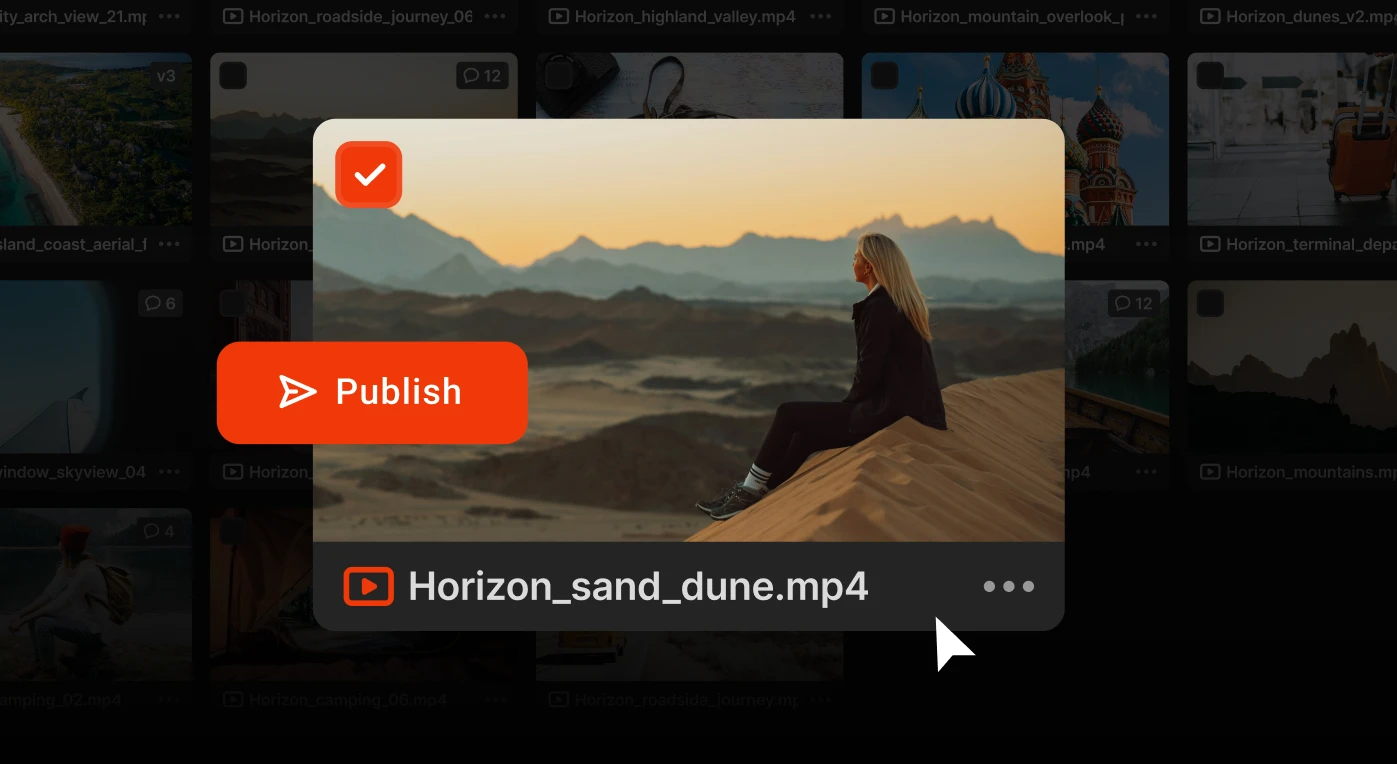
The new Publish Panel removes that last mile as a separate workflow stage. It's a native publishing interface built directly into Iconik. From a final approved asset, you configure the thumbnail, select destinations, set per-destination metadata, and deliver to Facebook, Instagram, TikTok, X, YouTube, OTT platforms, and owned channels — from one panel, in one click. Character limits surface inline. Publish templates pre-fill the destination set and pull metadata from views already configured in Iconik.
Behind the scenes, the full Wildmoka stack is running: templates, branding, dynamic overlays, pre-rolls, and post-rolls. The day-to-day Iconik user sees one clean panel.
The asset itself stays pristine inside Iconik. Branding is applied on the way out, not baked into the master. Every publish event is logged against the asset record — a single audit trail showing where the content went, when, and to which platform.
What disappears: the export step, the re-upload, the manual metadata re-entry, the rename drift. What replaces it: one panel, one click, one record of where the content lives now.
Review without interrupting creative flow
The teams with the most demanding requirements — VFX houses, broadcast post, high-end commercial — used to step outside their MAM to do serious review work. This quarter is about eliminating that detour.
DRM and forensic watermarking
DRM and forensic watermarking are now available on Iconik Pro and Enterprise, built for two different halves of the same problem.
DRM is the prevention half. Content shared from Iconik plays only inside Iconik. Screen capture, recording, and screen sharing are blocked. Access can be revoked remotely the moment distribution conditions change. A hardware DRM mode keeps capture blocked while allowing playback to approved external monitors — for teams that need to project on set.
Forensic watermarking is the accountability half. Every proxy shared from Iconik carries an invisible, per-frame, per-user identifier, designed to survive compression, re-encoding, and off-screen filming. If content leaks, you can trace it back to the exact person it was shared with — from a single frame.
For studio content, product launches, and anything pre-release, this is the difference between sharing confidently and not being able to share at all.
Image sequences and color
The Iconik Player now opens and reviews image sequences at full fidelity, with OpenColorIO (OCIO) support — so the sequence appears in the color space it was meant to be seen in, not a browser's best guess. When an image sequence is uploaded from the Player, a web proxy is generated automatically; annotations, comments, and the applied color profile travel back to Iconik with it. Synchronized review can then run with one reviewer on the proxy in Iconik Web and another on the image sequence in the Player — same frame, same playhead, different formats, locked together in real time.
Multi-channel audio
Iconik Web and the Iconik Player now support up to 16 discrete audio channels, each independently controllable — mute, solo, pan, and volume per channel. The download-and-detour to a separate tool goes away. The check happens where the review already lives.
Upload media from mobile, with synchronized review coming soon
The Iconik iOS app now uploads files directly from device to S3, GCS, Azure, and B2 storage destinations. Upload support extends to shares — external collaborators can contribute files without an Iconik login.
Synchronized review on iOS lands in the months ahead. When it does, you'll be able to join a review session from an iPhone or iPad and stay locked to the same frame as everyone else: artist in the Player on a master, producer in the browser on a proxy, executive on an iPad in transit. Same session, same moment, regardless of which screen each person has.
Cleaner access control across Groups: one job per system, at scale
We're making a meaningful change to how Groups work in Iconik, rolling out across May and June.
Previously, Groups did two jobs at once: controlling who could see content and defining what users could do with it. At small scale, that's manageable. As organizations grow, it gets tangled.
We've split those jobs cleanly.
Teams handle access — who can see what. Role Groups handle capability — what users can do with the content they can see.
Adding a user to a Team grants them visibility on relevant collections, storages, and workspaces. Adjusting their Role Group changes what they can do everywhere they have access. Visibility logic and capability logic no longer live in the same group definition.
The migration is automatic. Existing access control list (ACL) setups are preserved. If you're an admin, watch for our rollout emails — and reach out to your CSM if you want a walkthrough before your next permissions change.
ISG Pro: more headroom for high-volume pipelines
Iconik Storage Gateway (ISG) has 96 petabytes of customer storage indexed through it today. For most teams, a single ISG handles everything. But the teams running the highest volumes start asking different questions: How much faster could ingest go with parallel nodes? What happens during a gateway upgrade window? Where's the ceiling?
ISG Pro answers those questions. It adds multiple nodes running in parallel on a single ISG — faster ingest, higher aggregate throughput, built-in failover. If you need to take a node offline for maintenance, the others keep running. The gateway stays available to the team.
ISG Pro will be available to Iconik Pro and Enterprise customers in the next month. Contact your Iconik representative to learn more.
Smarter search, clearer billing, smoother operations
Multi-select filter modifiers — The filter panel in Iconik now supports include-any, include-all, and exclude-all logic per field, with no syntax required. Build precise, boolean-style searches across storage, transcription text, confirmed persons from face recognition, and created/deleted-by fields — with more rolling out.
Billing visibility — A new admin page gives you a live view of plan consumption across users, storage, transfers, AI analysis, and automations, measured against plan limits. Domain owners see it by default; power users need the "can read billing" permission.
This is what a complete Creative Operations platform looks like
Creative Operations is not a department. It's the discipline of doing more with more — finding content faster, reusing it more, getting it to audiences with less friction.
Every feature in this release serves that goal. The Publish Panel removes the last operational gap between governance and activation. The review-side updates — DRM, forensic watermarking, image sequence playback, multi-channel audio — bring production-grade workflows into the same platform the whole team already uses to manage media. Teams and Role Groups make all of it more durable as organizations scale. ISG Pro gives high-volume pipelines the headroom to keep running.
Fewer tools to stitch together. Fewer handoffs to break. More of the lifecycle running through one platform, with the same metadata, the same audit trail, and the same governance the whole way through.
Iconik manages the asset. Wildmoka activates it. Together, they cover more of the content lifecycle without forcing teams to choose between governance and speed.
Chris McMahon is a Senior Product Marketing Manager at Backlight, specialising in positioning, messaging, and go-to-market strategy for complex SaaS products. He has over a decade of experience helping creative and technical teams understand cloud-based media and collaboration technology, with a background that spans product marketing, content strategy, and editorial leadership. Chris has launched multiple products, built global sales enablement programs, and shaped value narratives for partners including AWS, Google Cloud, and Adobe. He is based on the south coast of the UK.

.png)