Insights: see how your whole domain is being used
Who's most engaged, which features your team relies on, how your library is growing and how much storage you use: Insights puts this information and more in one place, for any date range you choose. With Insights, you can spot who has logged in and how adoption is trending over time, see how certain metrics have changed from the previous period, and download the data from any metric as a CSV with your filters applied, so the numbers are ready for your next review. Head to Admin > Insights to see the four tabs:
- User metrics: See how many people logged in during your date range and how many licensed users you have, active or inactive. Logins over time show how adoption is trending, and top users, ranked by days logged in, show who relies on Iconik most. Filter by user type.
- Engagement metrics: See the activity in your domain: total uploads, downloads, comments, transcriptions, reviews and shares.
- Asset metrics: Know what's in your library: total and new assets, assets with missing files, archived and restored assets, collections, and average video duration. Filter by media type.
- Storage metrics: See how much each of your storages holds, how much has been transferred out of Iconik, and how your total storage grows over time. Filter by storage name, purpose or method.
On rollout, Insights opens with about two weeks of data already tracked and available. It will keep tracking from there, so your history grows over time. Data is updated daily.
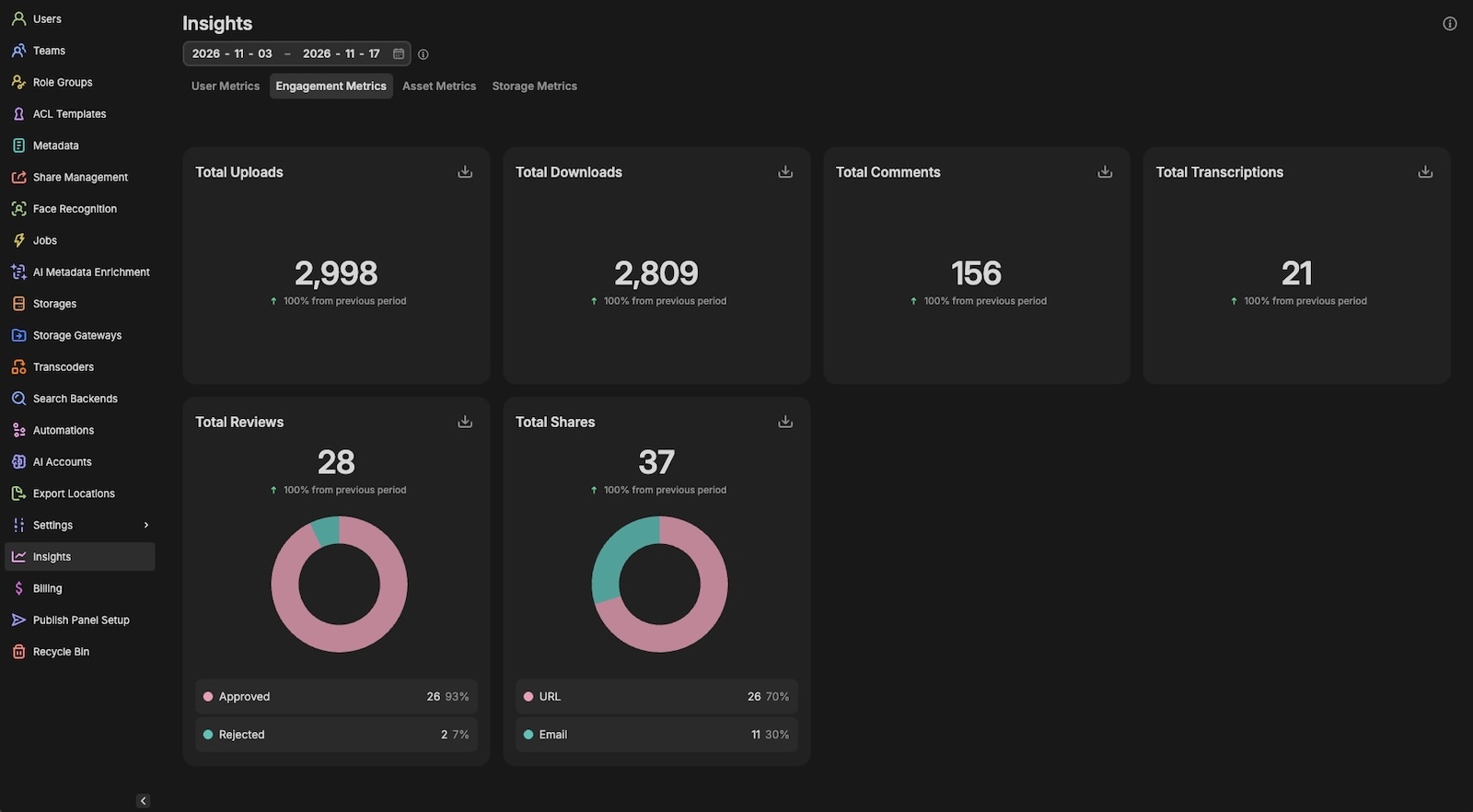
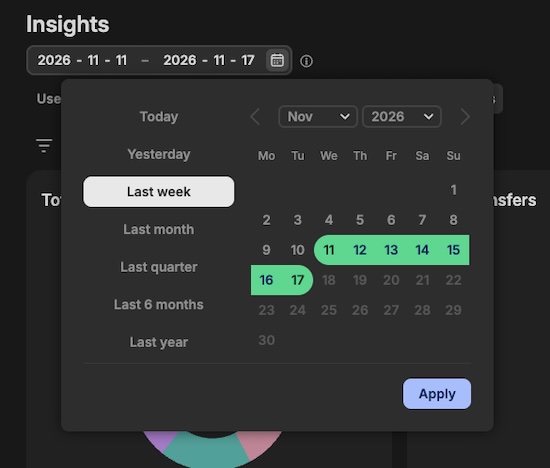
Image crop and resize, right in Iconik
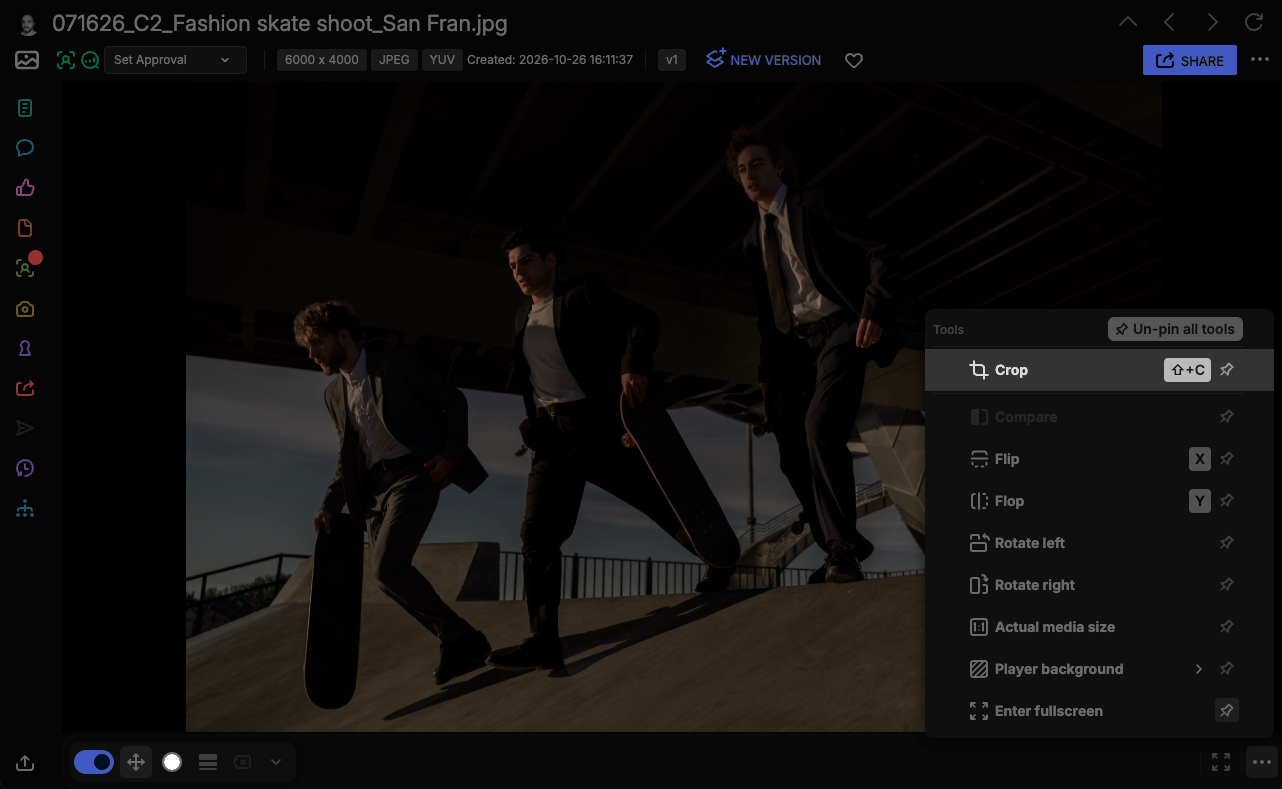
Right photo, wrong shape? Open an image in the player and choose Tools > Crop in the toolbar, or press C, to crop and resize it without leaving Iconik. A draggable crop grid, aspect-ratio presets and exact dimensions get you to the size a channel needs, and you can convert the result to JPG, PNG or WebP and download it.
We support these formats: avif, bmp, gif, heic, ico, jpg, jxl, png, svg, tiff, webp
We don’t yet support the following: pdf, psd, psb, cr2, cr3, nef, arw, dng, raf, orf, rw2, pef, srw
Please note: crop is only available when the asset’s original file is stored in cloud storage.

Publishing: see everything you've published and scheduled
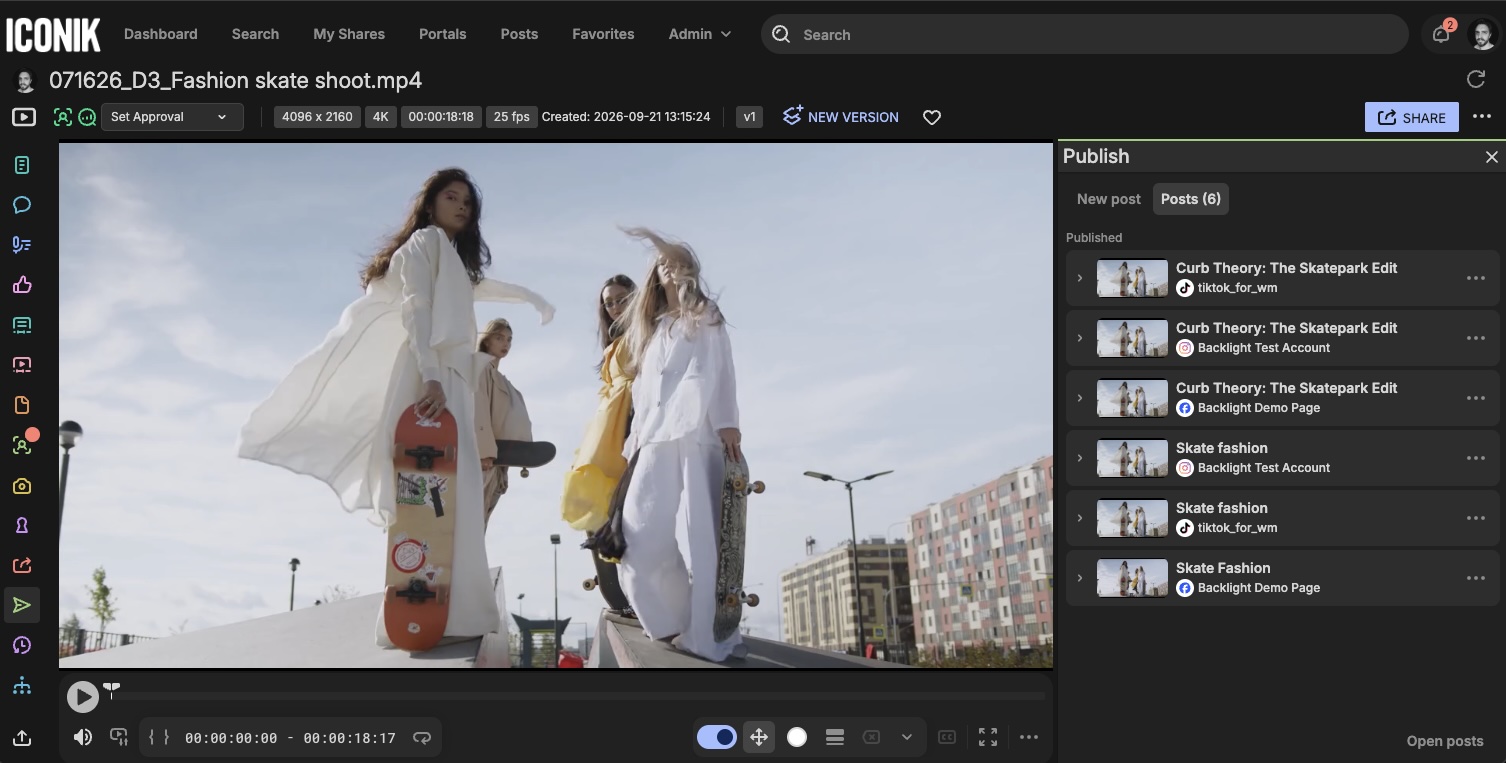
Every asset now shows its entire publish history. Just open the publish panel and click Posts to see where and when the assets was shared. "Has this already gone out, and where?" gets answered without leaving the asset, which helps avoid duplicate posts. Only users with can_publish rights see an asset's publish history.
Comments: attach more file types
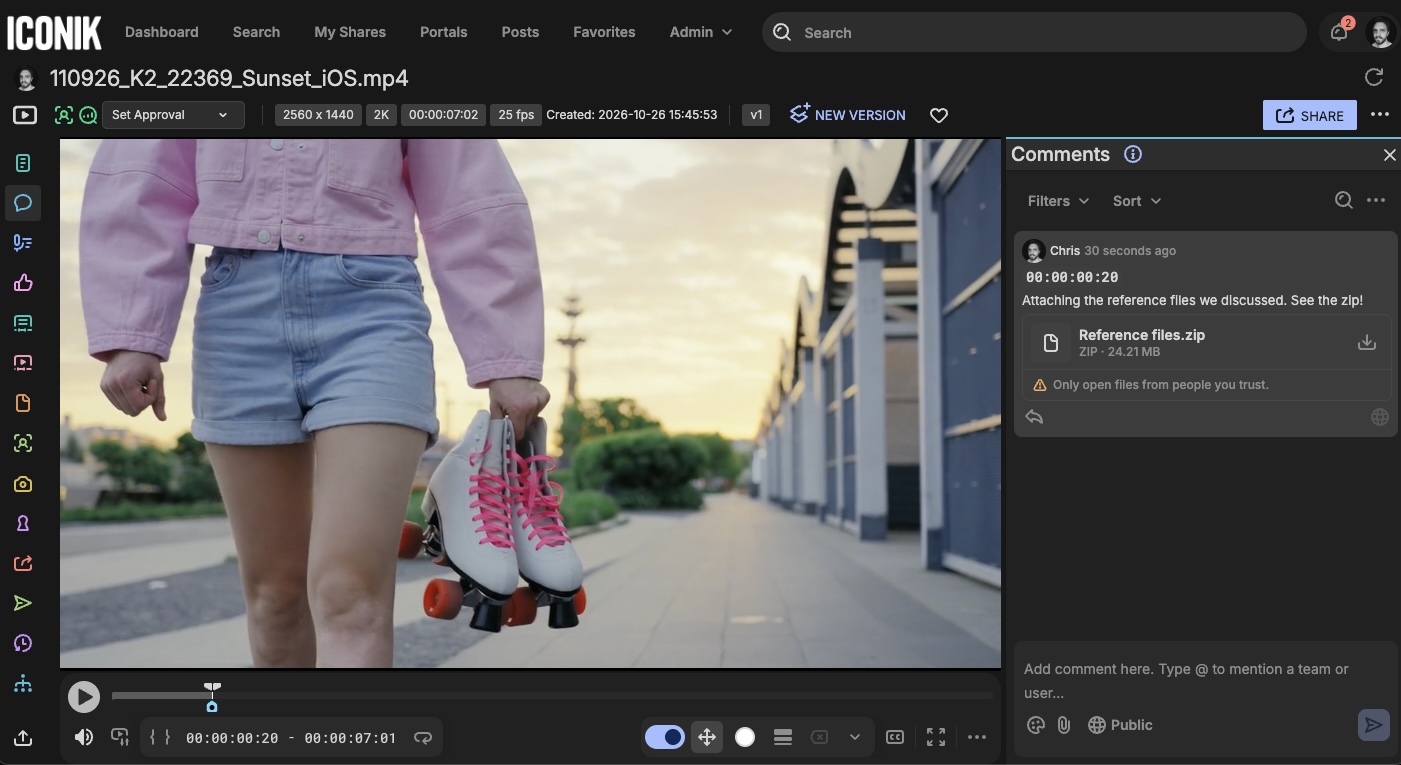
We recently updated Iconik comments so you can attach images alongside a note. Now they take more file types too: documents such as PDF, Word, Excel, PowerPoint and CSV, audio files, design and RAW photo files, and archives such as ZIP. Files that aren't images show as an icon with a download button.
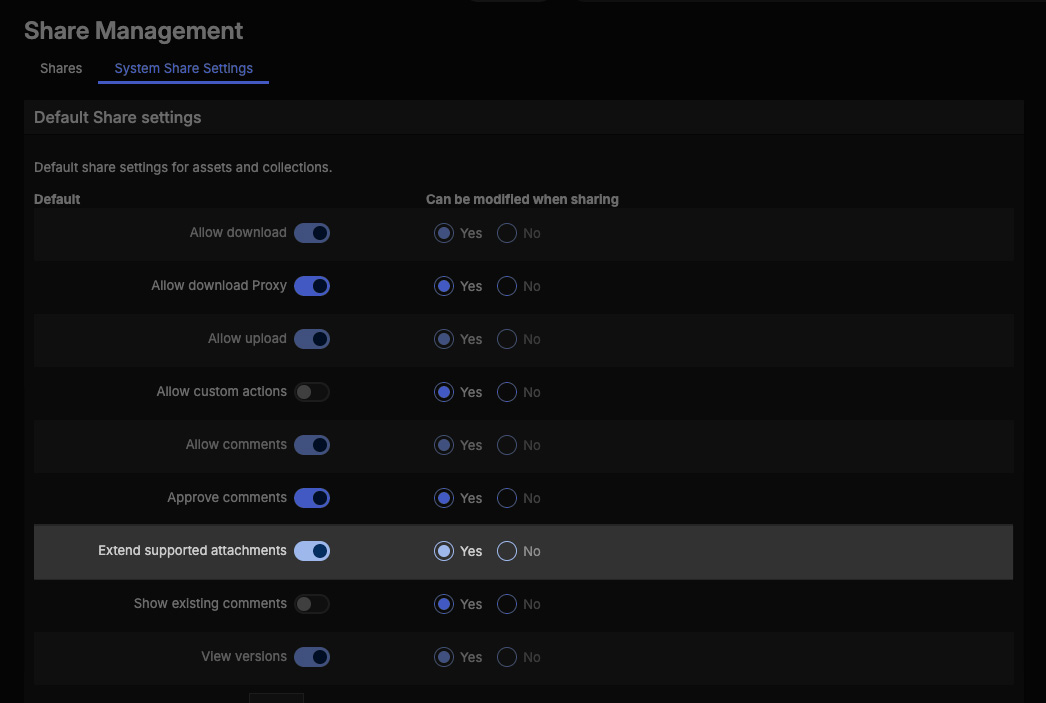
It works in both Iconik and shares. It's off by default: an admin turns it on with the Extend supported attachments toggle under Admin > Share management settings, which sets the default for all shares. Admins can also let users switch it on per share, using the same toggle in the share settings.
📍 Availability:
- Insights replaces the Statistics page under Admin and is available on all plans. Access uses a new role, can_read_insights, which is added to everyone who has can_read_stats today and is available for Power users going forward. can_read_stats is now specific to billing information, so the two can be set separately.
- Image crop and resize is available on all plans to users whose role includes can_create_derivatives and web_can_download_original. can_create_derivatives is on by default for all user types. Users in role groups get it when an admin adds it to the group, and in January we'll add it to every group that already has web_can_download_original. Crop is only available when the asset’s original file is stored in cloud storage.
- Post Management updates are available on Pro and Enterprise to those who have purchased the Publish Panel. Publish history on an asset needs can_publish.
- Extended comment attachments are off by default for all domains. An admin turns them on in Share management settings, and can allow them per share.
Everything else is available to all Iconik users.
