.svg)
Hiscale FLICS
Cut a subclip in Iconik and get a real, finished file back — in any format, at any scale. Hiscale also ingests live feeds while they're still recording and automates delivery to broadcast, VOD, social, and archive from a single source.
Overview
FLICS adds elastic, RAW-capable transcoding directly to Iconik. Create a subclip and FLICS renders it into a finished file — no downloading the full source, no round-trip through another tool. It also ingests live content as a growing file, so editors can start working before a recording even ends, and automates delivery across broadcast, VOD, social, and archive from a single source.
What you can do with FLICS
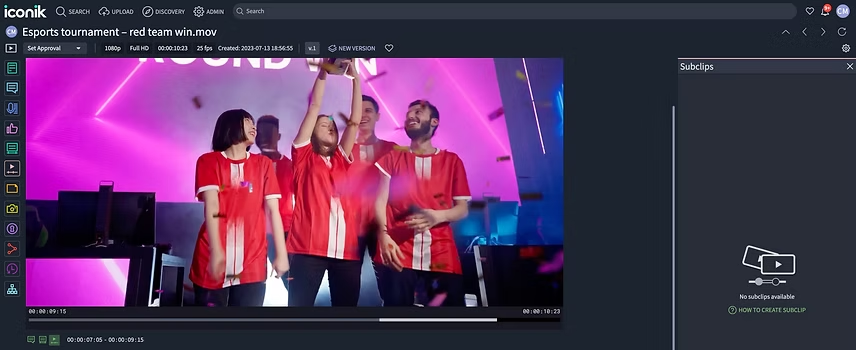
Subclip Rendering Create a subclip in Iconik and FLICS turns it into a real file, in any format you need. No downloading the full source, no switching tools. The rendered clip appears back in Iconik, linked to its parent asset.
Elastic Scale FLICS scales transcoding capacity automatically as job volume increases — whether jobs come from an ISG deployment or directly from Iconik's cloud storage scanning — and scales back down once the queue clears. No over-provisioned hardware sitting idle, no one watching a queue.
RAW Format Support with Multi-Format Delivery FLICS handles RAW formats — RED, ARRI, Blackmagic, and more — and the full range of professional camera formats. From a single source, it delivers finished files to VOD, social, broadcast, and archive automatically.
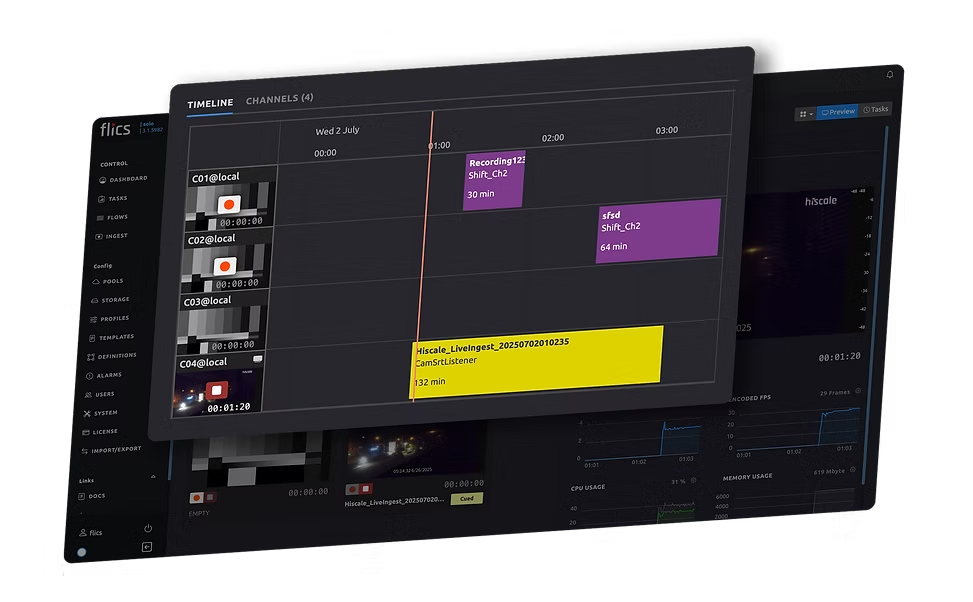
Live Ingest FLICS ingests live content into Iconik as a growing file, so editors can start working before recording ends. Hi-res and lo-res capture run in parallel, with full control over delivery specs when it's time to publish.
How it works
FLICS connects to Iconik through Custom Actions, automations, and API. With Custom Actions, right-click a subclip, select the action, and Iconik sends the job to FLICS for rendering — the finished file writes back as a related asset. Automation rules can also trigger FLICS jobs automatically off metadata or status changes.
For live ingest, FLICS takes care of scheduling and capture, while Iconik manages the asset record in real time as the file is still being written.
Availability
Available today through Hiscale. Live/growing-file ingest is configured per deployment alongside the Hiscale and Iconik teams — reach out via Hiscale to scope your setup.
Case study
How Chess.com Cut Subclip Turnaround by 90% with FLICS and Iconik
Chess.com's media team produces content from major tournaments with 25+ camera feeds per event, generating six-hour recordings per feed. Their globally distributed remote team needed short clips fast, but the old workflow meant downloading full source files — often 9GB+ — over home internet, cutting in Premiere, and re-uploading. In some regions, clips missed their window of relevance before the download even finished.
- 90% reduction in clip creation time — 15 minutes down to 2 minutes per subclip
- 97% reduction in egress cost per clip, by transcoding only the subclip segment instead of pulling full source files
- Non-technical team members now create clips themselves with a single click in Iconik — increasing total content output beyond what the editing team alone could produce
