Filter modifiers: transcription text and custom drop-down fields
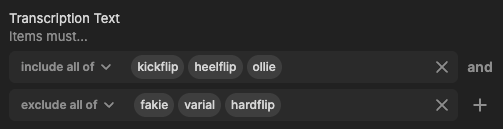
Filter modifiers now extend to two more field types: Transcription Text and custom metadata drop-down fields with multi-select enabled.
With custom drop-down fields, any metadata field using a drop-down type with multi-select enabled now supports include/exclude logic in the filter panel — meaning your own metadata schema works the same way as built-in field types.
With Transcription Text, you can go further and filter on the actual substance of your content: find assets where someone mentions one topic but not another, or where two specific things are discussed together.
Multi-select filter modifiers are available across the filter panel alongside people (face recognition), storage location, created by, and deleted by. For teams with rich metadata schemas and spoken-word content at scale, combining these conditions without writing advanced queries is where this gets genuinely useful.

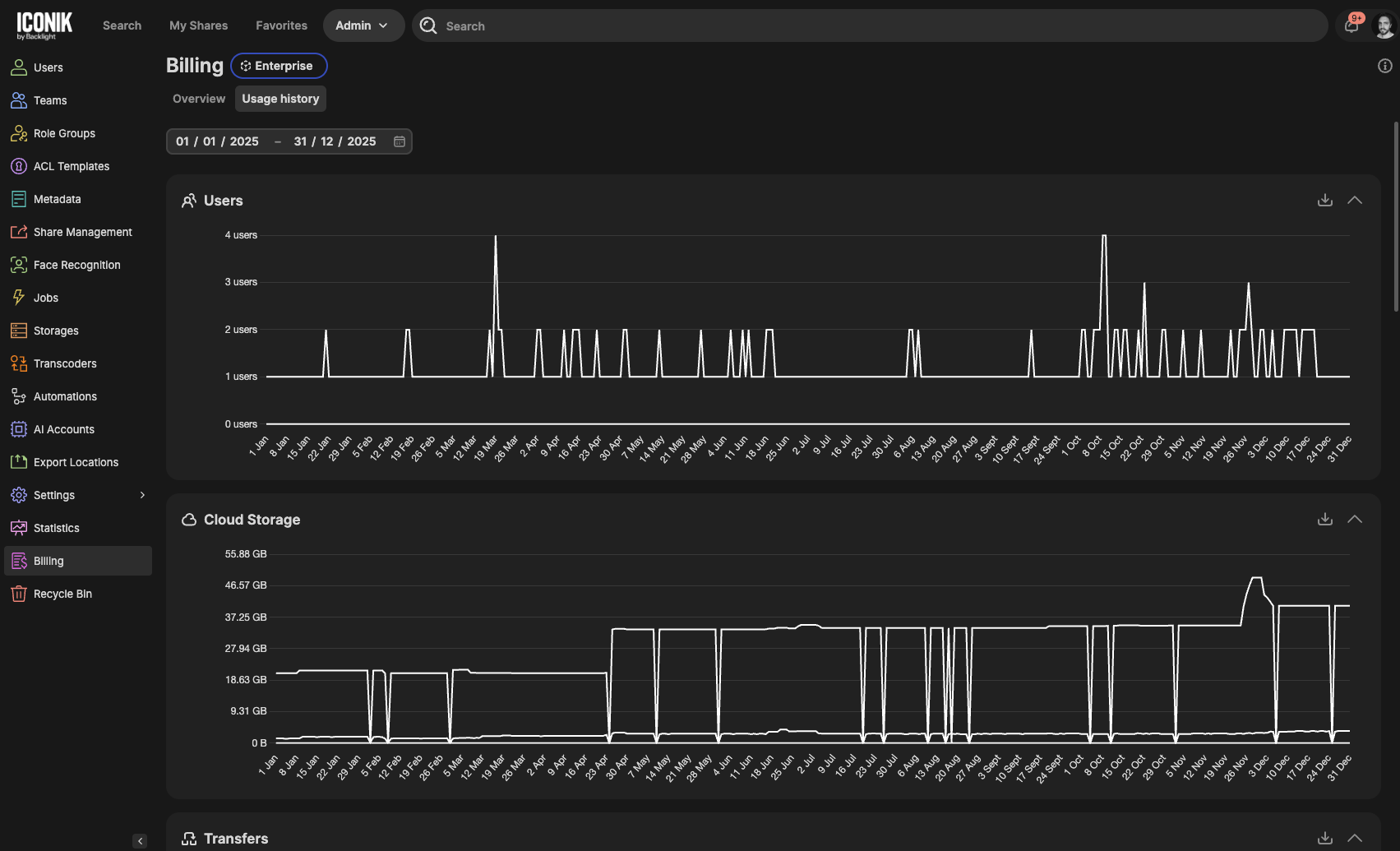
New Billing admin page: See exactly how you're using your plan
The new billing and consumption dashboard gives you a real-time view of your usage across users, storage, transfers, AI analysis, automations, and more, all measured against your plan limits. Usage approaching your limits is flagged in yellow; anything over appears in red, so you always know where you stand before it becomes a problem. We built this because we heard consistently that teams wanted more transparency into their plan usage without having to ask their account team.
Access it via Billing in your admin settings. Domain owners can see it by default; power users need the "can read billing" permission in their role.
Comment filtering in Review shares
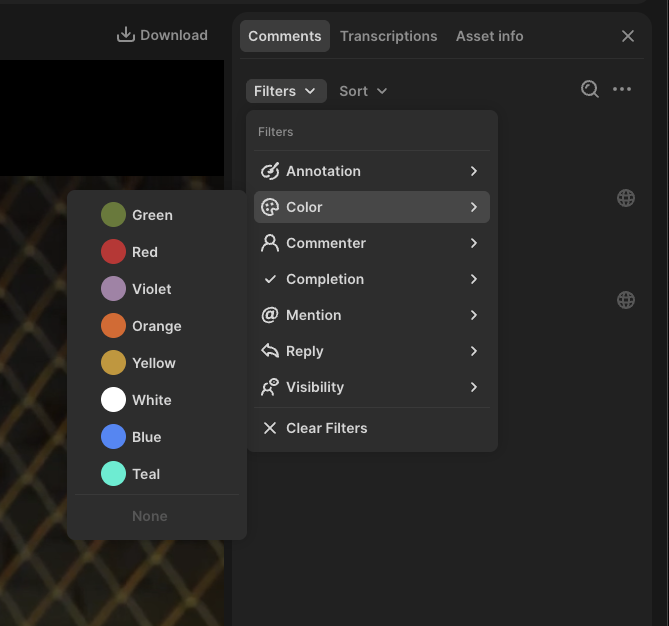
Filtering is now available in the comments panel for Review shares. You can filter by:
- Annotation presence
- Annotation color
- Commenter
- Completion status
- Mentions
- Replies
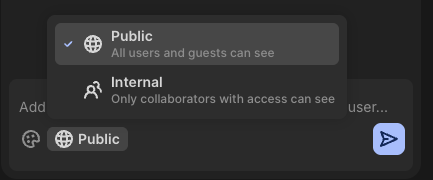
- Visibility (public or internal)
Filtering sits alongside the existing sort options (by date or timecode), so you can narrow the comment list to exactly what you need to act on.
These filters are available in the Iconik New Review Experience. Support for filters in the Iconik asset player is coming in a future release.
Comments on older versions
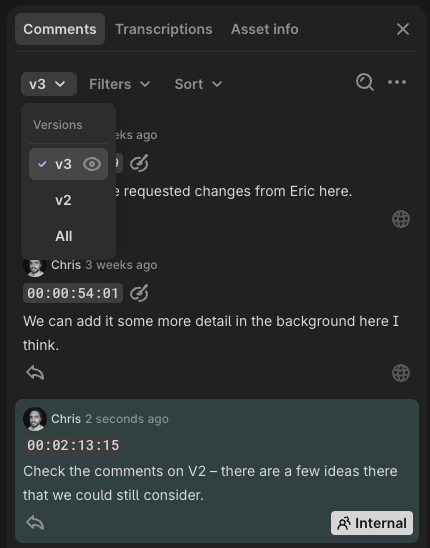
You can now interact with comments on older versions of an asset in the same way you can with the latest version — both in Iconik and in Review shares.
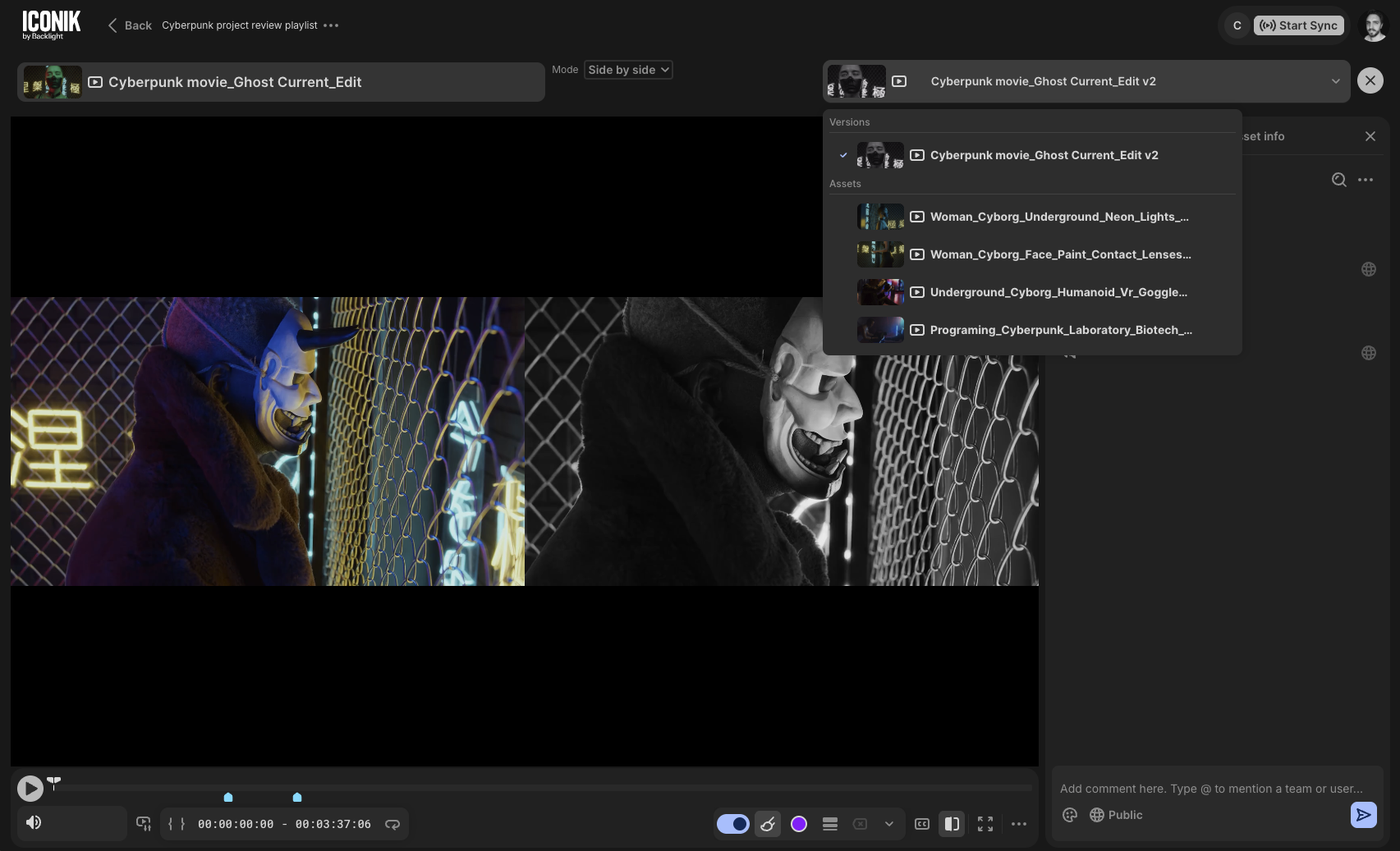
Open an older version in the player, and the comments panel updates to show comments associated with that version. You can add, reply to, and resolve comments just as you would on the current version.
If the version you're viewing in the player doesn't match the version selected in the comments panel, the comments panel will grey out, and interaction will be disabled. This keeps comments anchored to the correct version and avoids confusion about which version the feedback belongs to.
For teams doing iterative review across multiple versions, this removes a gap that forced version-specific conversations back into email or chat.
Internal comments now available in Review
Logged-in users can now create and view internal comments directly within a review session, not just inside the Iconik management interface. When collaborating on a share, internal comments are clearly labeled, so your team's internal notes stay visible to the right people and separate from feedback intended for external collaborators. This closes a gap that made it harder to keep the conversation organized when both internal and external reviewers were working in the same share.
Version comparison in Playlists
You can now compare any two versions of any asset in a playlist. Open the compare view, select the versions you want — they don't need to be related or grouped — and evaluate them together in a single screen. When grouped versions are available, the comparison defaults to those, but you're never locked in. You can compare using side-by-side analysis, overlay with transparency, or using a wipe.
Toggle sync on and off for shares
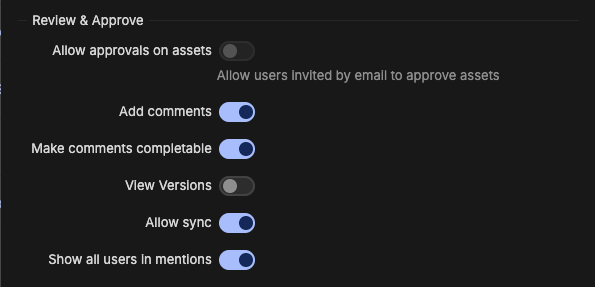
When creating a playlist or asset share, you can now control whether synchronized review is available to recipients. The toggle is on by default, but turning it off removes sync as an option within the share entirely. Administrators can also disable sync globally for all shares from the Share Management settings.
More control over when and where watermarks appear
You can now choose whether watermarks display on assets inside iconik, on shares only, or both. The setting lives in Admin > Settings > Watermark Settings, under "Show in assets." Previously, watermarks applied everywhere. This toggle gives you more granular control, particularly useful when you want to protect content in external review without cluttering the internal experience.
Note: for a watermark to appear on a share, visual watermarks must be enabled in Admin watermark settings and the watermark option must be turned on in the Share dialogue when sharing the asset.

Face recognition: un-match detections in the person admin view
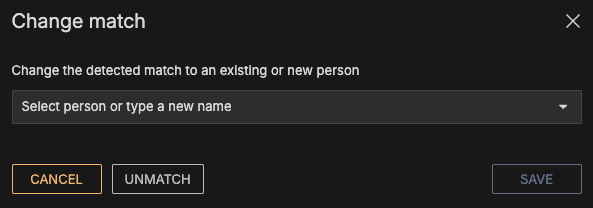
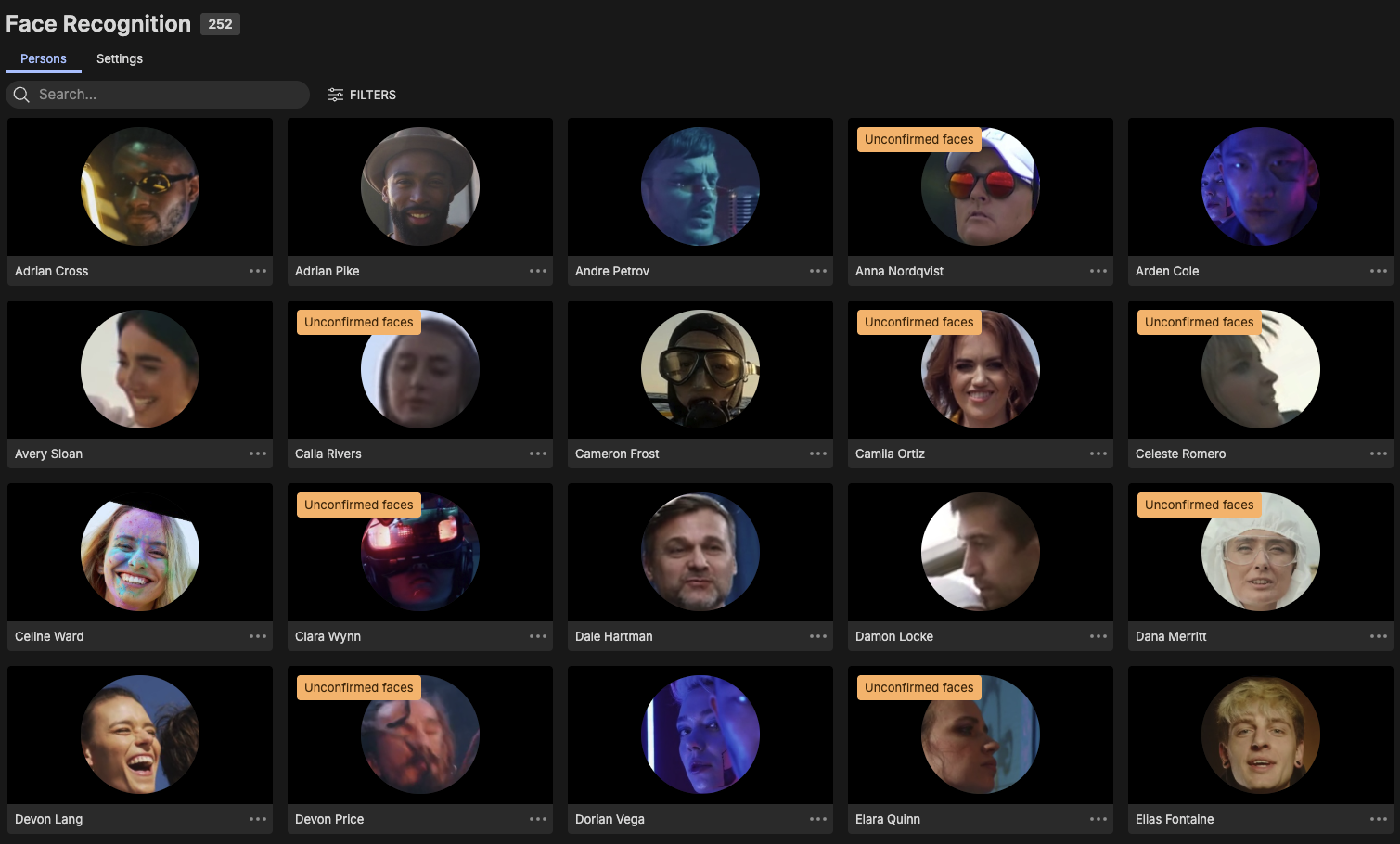
You can now mark a detection as "not this person" from the person admin overview, without having to reassign it to someone else.
Previously, correcting a false positive required immediately reassigning the detection to another person — there was no way to simply dismiss it. Now you can mark it as unverified and move on, which makes working through a backlog of incorrect detections significantly faster.
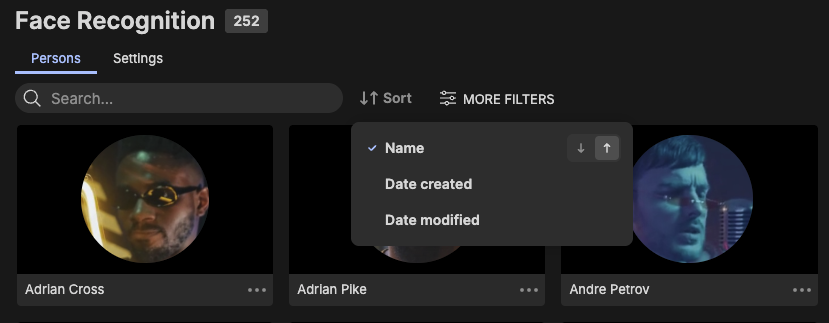
Face recognition: sort persons in the admin page
The Face Recognition admin page now supports sorting by name, date created, and date modified — in ascending or descending order.
If you're managing a large persons library, this makes it easier to find recently added or modified entries without having to scroll through an unsorted list.
Face recognition performance improvements
This release includes a round of fixes and refinements to face recognition, including reliability improvements, updates to face-matching logic, and general UI cleanup. Please see the changelog for the full list of updates.
ACL propagation control for administrators
Administrators can now disable the "Propagate ACL" Role via Role Groups. For teams managing access at scale, this means access rules behave exactly as you've set them — no unexpected changes triggered by individual users. It keeps control where it belongs: with the people responsible for managing it.

Availability:
- Comment filtering in Review shares: available in the New Review Experience. Asset player support is coming in a future release.
- Billing dashboard access is role-dependent: domain owners and power users with the "can read billing" permission.
- All other features in this release are available to all Iconik customers.
