.svg)



In this article

People are using iconik to do many things, but at its core, iconik manages media in the most efficient way possible.
This update caters to that end with more features to speed up managing assets.
🎁 Here’s what’s new

Drag/drop on the Search Page
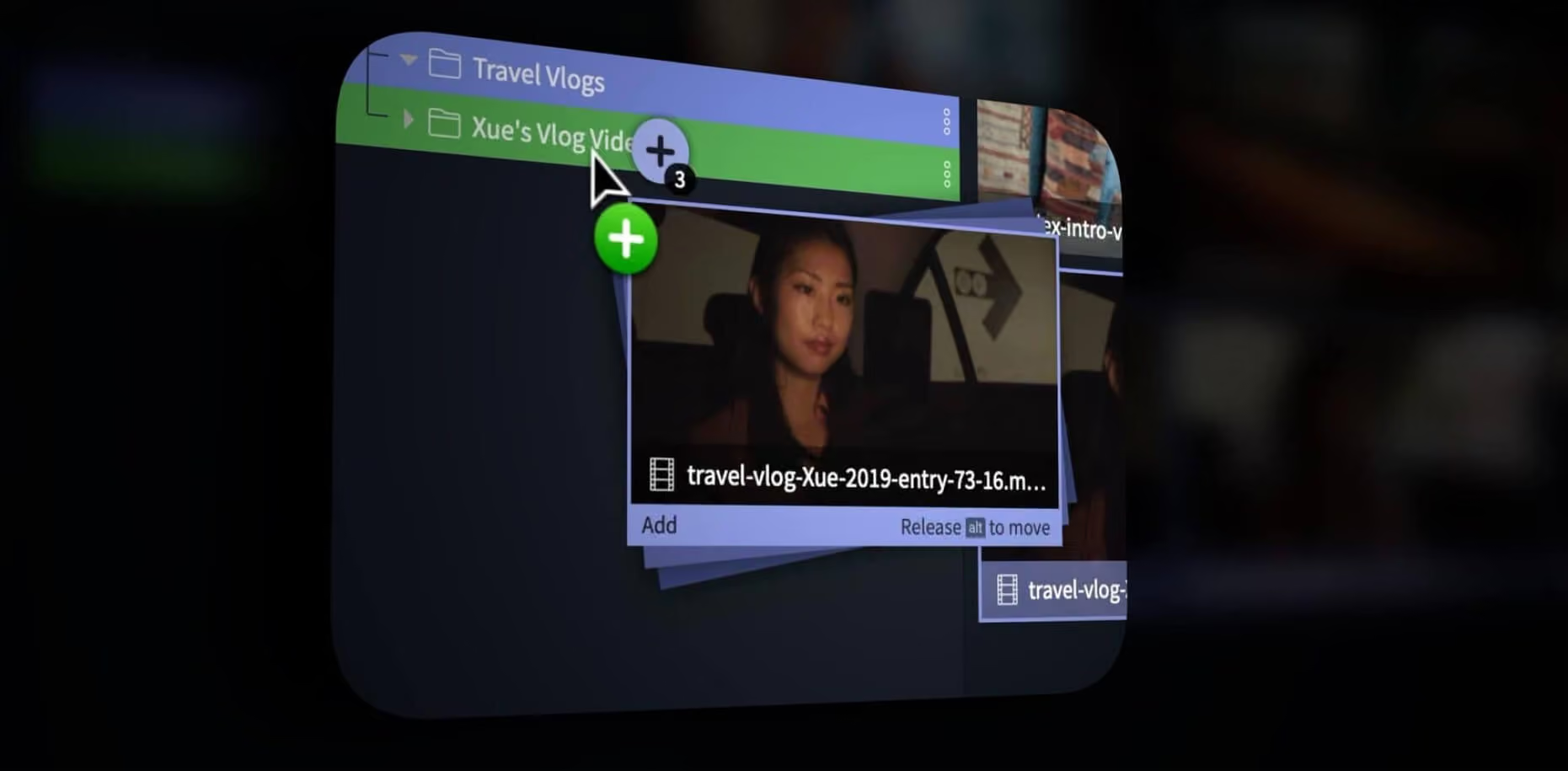
Now within the search page, you can drag, drop, copy or move asset pods or entire rows to a collections.
Collections can also be moved or added to other collections as well. Using the Alt/Option key will choose whether to move or add.
Edit the search results list view!
This added flexibility to reorder and rearrange columns in the search list view will allow users to customize iconik to suite how they search for assets.

New bulk actions
- Re-transcode multiple pieces of content in a collection or in saved search results
- Delete multiple assets within a collection or a saved search
- Trigger automatic analysis of collections or saved search content

Search improvements
Both the iconik search API and the advanced Free Text Search can now search for values in nested documents, like files or proxies.
An example of how you could use this would be to search for missing proxies or files by starting your query with “NOT _exists_:”. For example; to find any asset with files that do not have a proxy entry, you would search for:
“NOT _exists_:proxies.status”
There are more examples of this here.
👇 Plus these other iconik updates
iconik Storage Gateway (ISG) improvements
Improved Windows ISG tray application that is more in line with the Mac version.
Single Sign-on Admin
Now there’s a page for this in the Admin section for (SAML) setup. With iconik’s SAML 2.0 integration you can tie authentication and authorization of your users to an external data source, such as an Active Directory or other enterprise directory service.
Scan Archives
And lastly, iconik can now scan your archive storages! This will let you bring content from an existing archive storage if you want to bring it into iconik.
Want to see all the recent iconik updates? Go to our release notes.

Parham Azimi is CEO & Co-Founder of iconik Media. His journey as a software entrepreneur has led hime to found multiple media management companies that serve some of the world’s largest brands. He is a strong advocate for building platforms to allow users to define how they want to work.

.avif)