.svg)


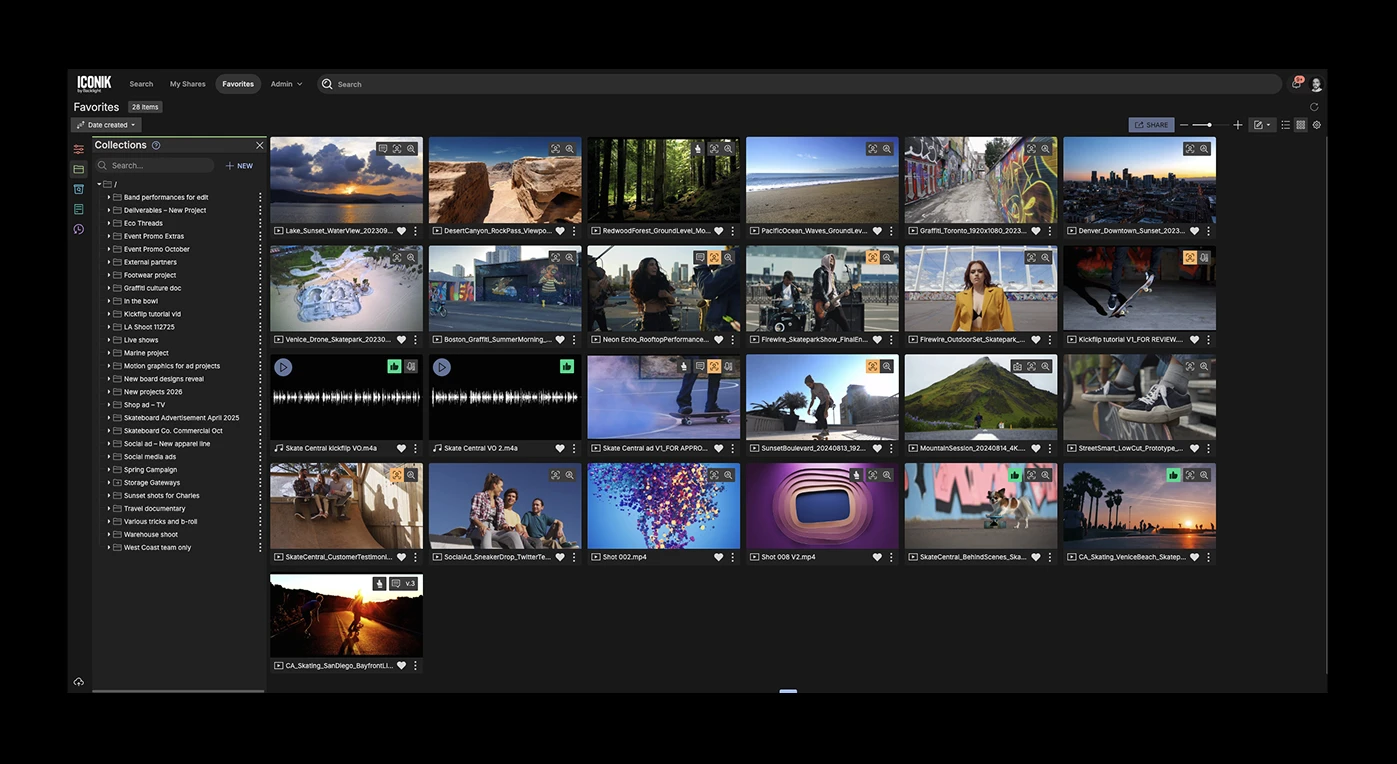
Table of contents

For many clients, the hardest part of any MAM rollout isn't the technical deployment; it's change management. People are creatures of habit. If you ask them to change how they work, you have to give them a reason worth the effort.
The most effective incentive you can offer your end users is an environment that feels like it was built for them. If someone logs into Iconik on day one and immediately sees a workspace organized the way they think, you break down the biggest barrier to adoption before it has a chance to form.
The fastest way to deliver that feeling in Iconik is the Dashboard: a personalized landing page that greets each user with the handful of things relevant to them, instead of an empty search bar. And three tools sit underneath it — Favorites, Saved Searches, and Personal Collections — that make the space genuinely their own. Set them up, and the Dashboard puts them front and centre from day one.
Start with the Dashboard: a home screen built around each user
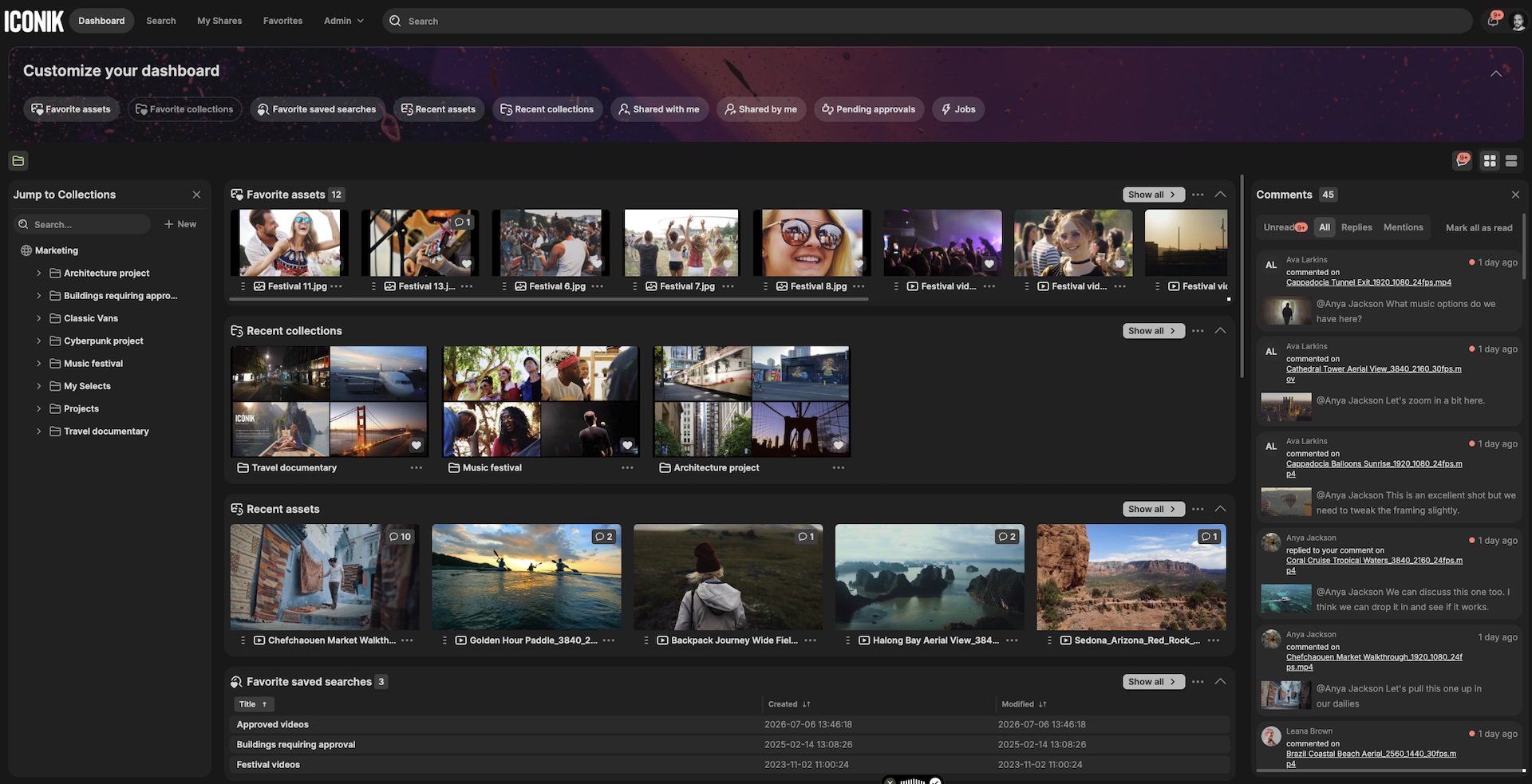
Instead of opening to a blank search screen, users land on a customizable Dashboard — their own homepage inside Iconik. It surfaces what matters to them right now: favorite assets and collections, recent activity, saved searches, items shared with them, pending approvals, and running jobs. Each user arranges it themselves — adding, removing, reordering, or collapsing widgets, and viewing results as cards or a list. Assets can be dragged straight from a widget into a collection, and a Collaboration Feed keeps comment replies and mentions in one place.
The Dashboard is where the personalization below comes together. Favorites, Saved Searches, and Personal Collections all appear as live widgets — so the ten minutes you spend setting a user up pays off the second they log in. Any user can switch their homepage to the Dashboard under Profile → Settings, and domain owners can make it the default for everyone.
Favorites
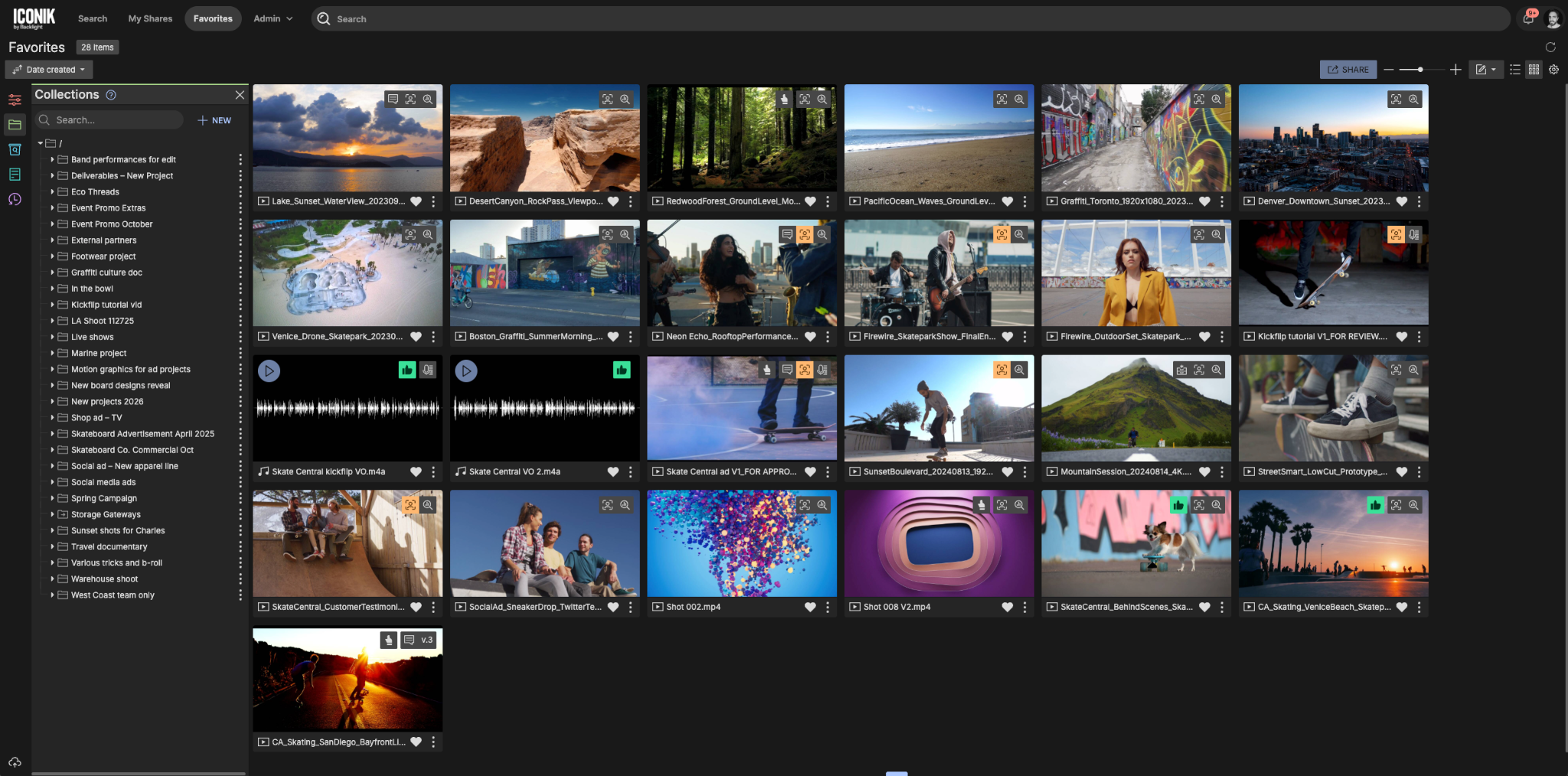
One of the quickest ways to let users make the system feel like their own is through Favorites.
As users navigate through the search page or a collection, they can click the small heart icon on any asset or collection to bookmark it. Then, when they click on the Favorites section in their navigation bar, they're taken to a private view of everything they've saved.
Think of Favorites as the drawer on your actual desk: it might be a complete mess of random files, but it's your mess. Because it's completely private, it's the one place in Iconik that's truly theirs.
We've recently added the ability to filter within Favorites, giving users even more visibility into the assets and collections that matter most to them. It's a simple but powerful way to keep daily work-in-progress files or frequently accessed brand assets just one click away.
And anything you favorite — assets or collections — shows up automatically in the widgets on your Dashboard, so the things you care about are waiting for you the next time you log in.
Saved Searches
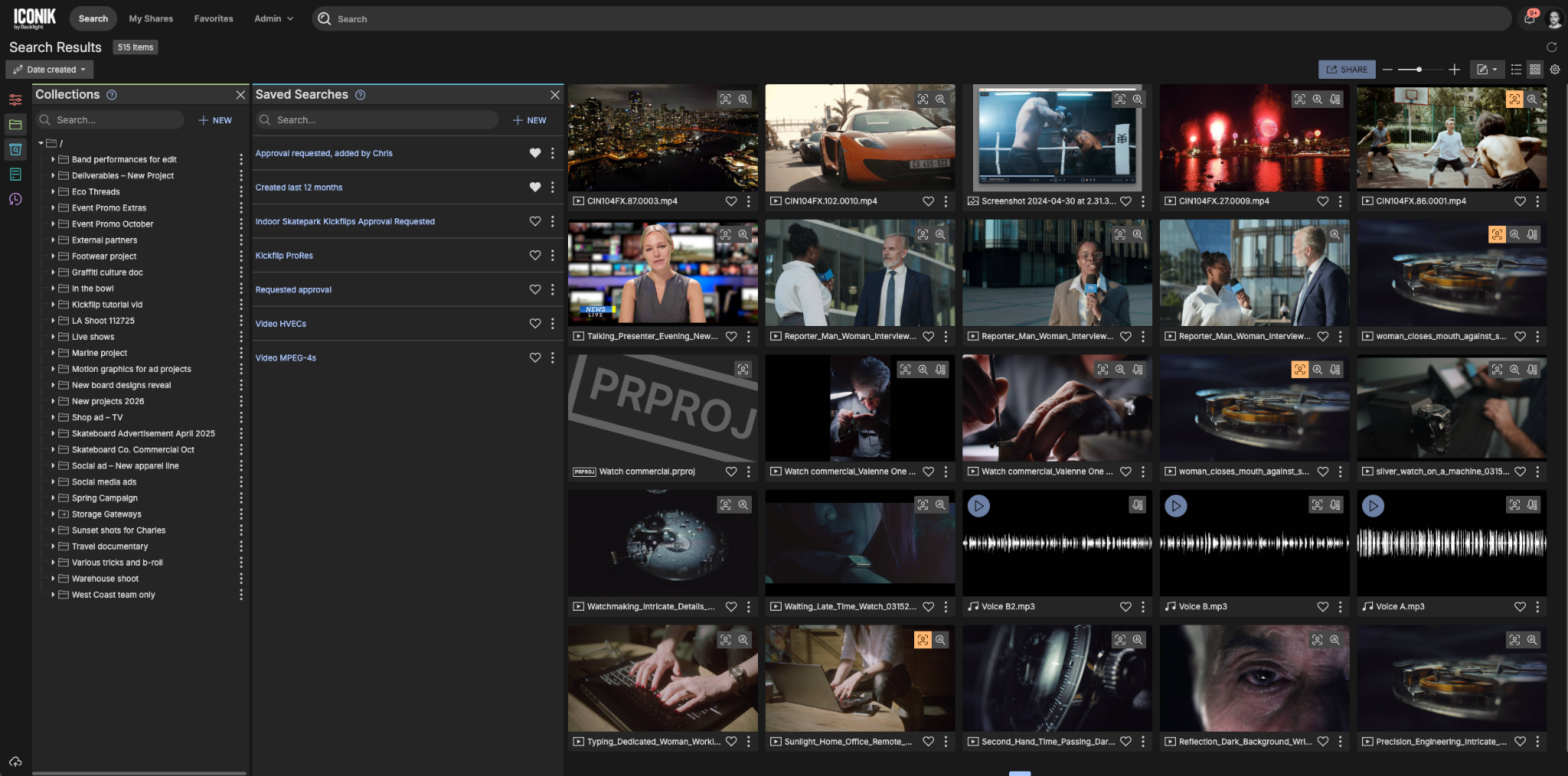
A Saved Search is a snapshot of a user's global search criteria combined with specific metadata filters: essentially, a dynamically updated bookmark that reduces the number of clicks it takes to get back to the results they care about.
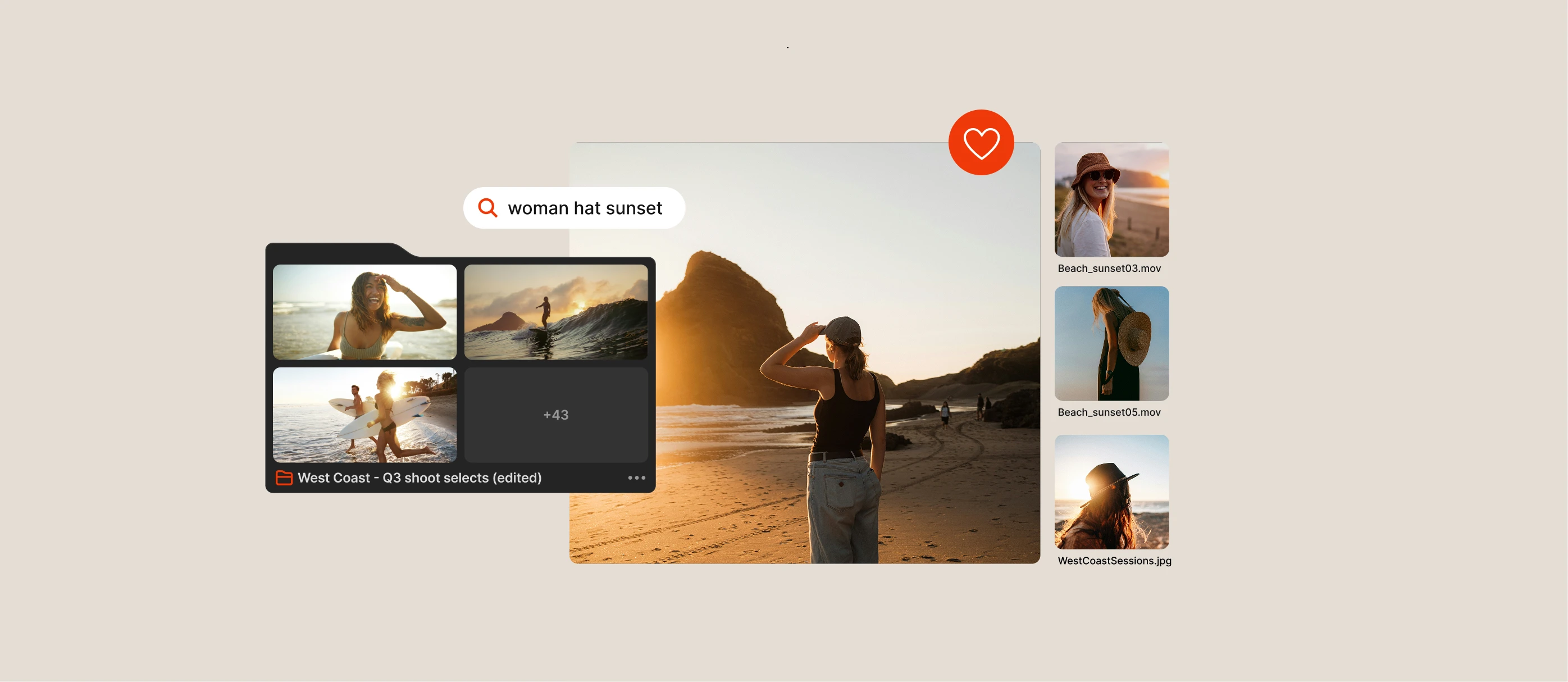
Say a producer regularly needs to find all approved interview footage tagged to a specific campaign. Instead of rebuilding that search every time, they save it once. From then on, it's a single click in their navigation bar, and the results are always current, automatically reflecting any new assets that match the same criteria.
Saved Searches can also be used to take bulk actions on results, including transferring, transcribing, and archiving.
You don't have to wait for users to figure this out themselves. Before your users log in for the first time, take ten minutes to build them a Saved Search. Filter by their producer tag, set the metadata criteria to surface their most relevant assets, and share it with them directly via Access Controls. When they log in, it's already waiting in their navigation bar: one click away from everything they've ever delivered.
It's a small setup investment that pays off immediately: users see value before they've had a chance to feel lost, and they learn by example what Saved Searches can do for them going forward.
And any Saved Search a user favorites — which they can do right from the Saved Search creation dialog — appears as its own widget on their Dashboard, so their go-to searches are waiting on the home screen.
Personal Collections: A user's sandbox
While mapping actual storage directories into Iconik is always the right foundation, relying exclusively on mapped folders can be rigid. This is where virtual Collections come in.
Virtual Collections are metadata tags that behave like folders in the UI. They are completely independent of your physical storage, which means you can build any organizational structure you want without moving or duplicating any underlying data.
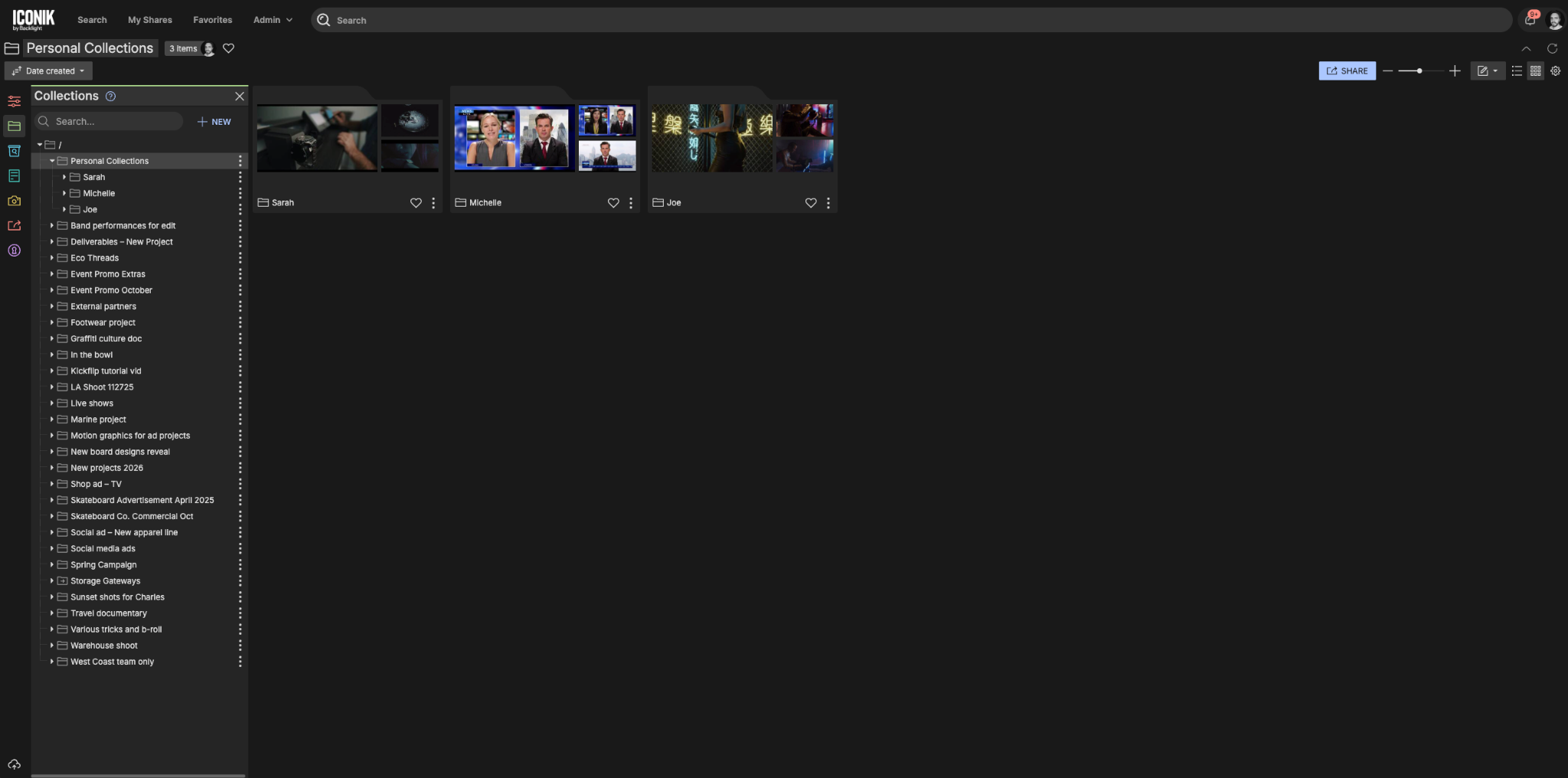
A powerful way to use this is to create a root-level collection called "Personal Collections" and nest individual collections inside it — one for Joe, one for Michelle, one for Sarah. By applying Iconik's Access Control Lists (ACLs) to these collections, you can configure them so that Joe only ever sees Joe's folder, and Sarah only ever sees Sarah's.
From there, users have two meaningful ways to work within their personal space:
- Organizing: Users can freely drag and drop assets into their personal collections. Moving an asset into a virtual collection doesn't download, copy, or move the actual media file on your storage: it's completely non-destructive.
- Uploading: Users can set their personal collection as the default destination for uploads. Because ACLs are inherited from the collection, anything Joe uploads to his folder is automatically secured so only he — and administrators — can see it.
And because favorited and recently used collections both surface as Dashboard widgets, a user's personal sandbox is one click from their home screen — they can even drag new assets straight from the Dashboard into it.
Where to start
- Turn on the Dashboard as the default homepage for your domain — one setting, and every user lands on a personalized home screen instead of a search page
- Favorites and Saved Searches are available to all users today: no configuration required
- Personal Collections can be set up by an administrator in minutes using existing ACL controls
- Consider pre-building a Saved Search for key users before their first login — the immediate value it creates is worth the ten minutes it takes

Bryan Nelson is Director of Customer Enablement at Backlight with over 15 years of experience in media technology. He specializes in helping organizations adopt and scale the tools and technologies that power production and post-production workflows. He leads the Customer Enablement team, which specializes in product onboarding, training, and best practice consultation.