.svg)


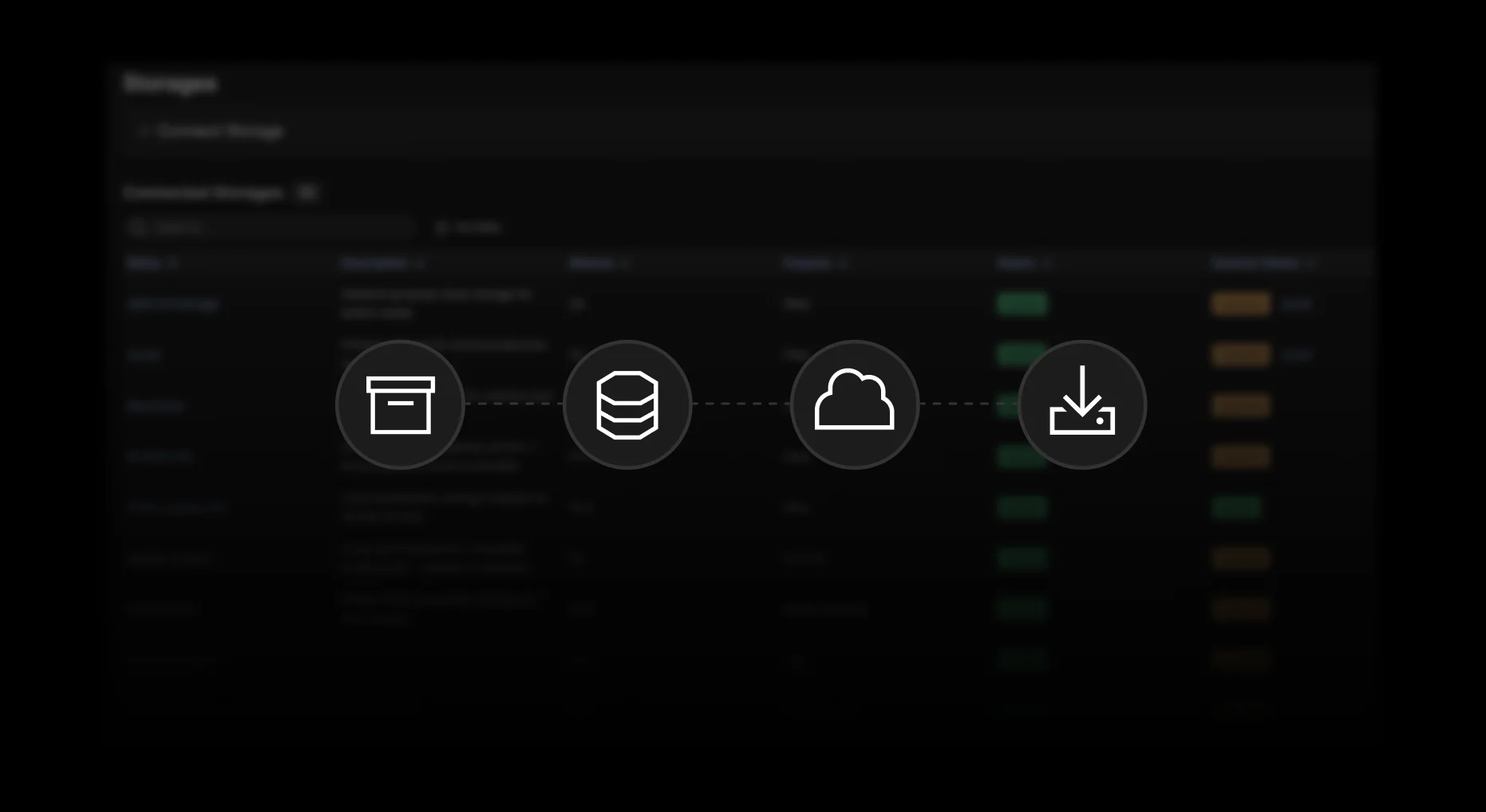
Table of contents

The BBC once famously wiped hundreds of Doctor Who master tapes to reuse the physical stock. At the time, it was a perfectly rational cost decision: storage was finite, expensive, and physical. You deleted something when you ran out of space.
That constraint is long gone. Today, media operations routinely manage petabytes of content, accessible from anywhere with a decent connection.
The scale and flexibility are genuinely transformative. But the cost structure and vocabulary that comes with it is more complex than a shelf of tapes ever was — and if you don't understand how those costs work, you'll pay more than you should.
Let's break down the essentials you need to know about modern storage.

The problem: paying hot prices for cold content
The core mistake some organizations make is treating all their storage the same way. Content that hasn't been touched in two years sits in the same infrastructure — at the same cost — as yesterday's rush edit. At low volumes, it doesn't matter much. At petabyte scale, it's a significant and avoidable expense.
Understanding how to fix it starts with two questions: where does your data live, and how quickly do you actually need it?
Cloud vs. on-premise: where your data lives
The modern storage conversation starts here:
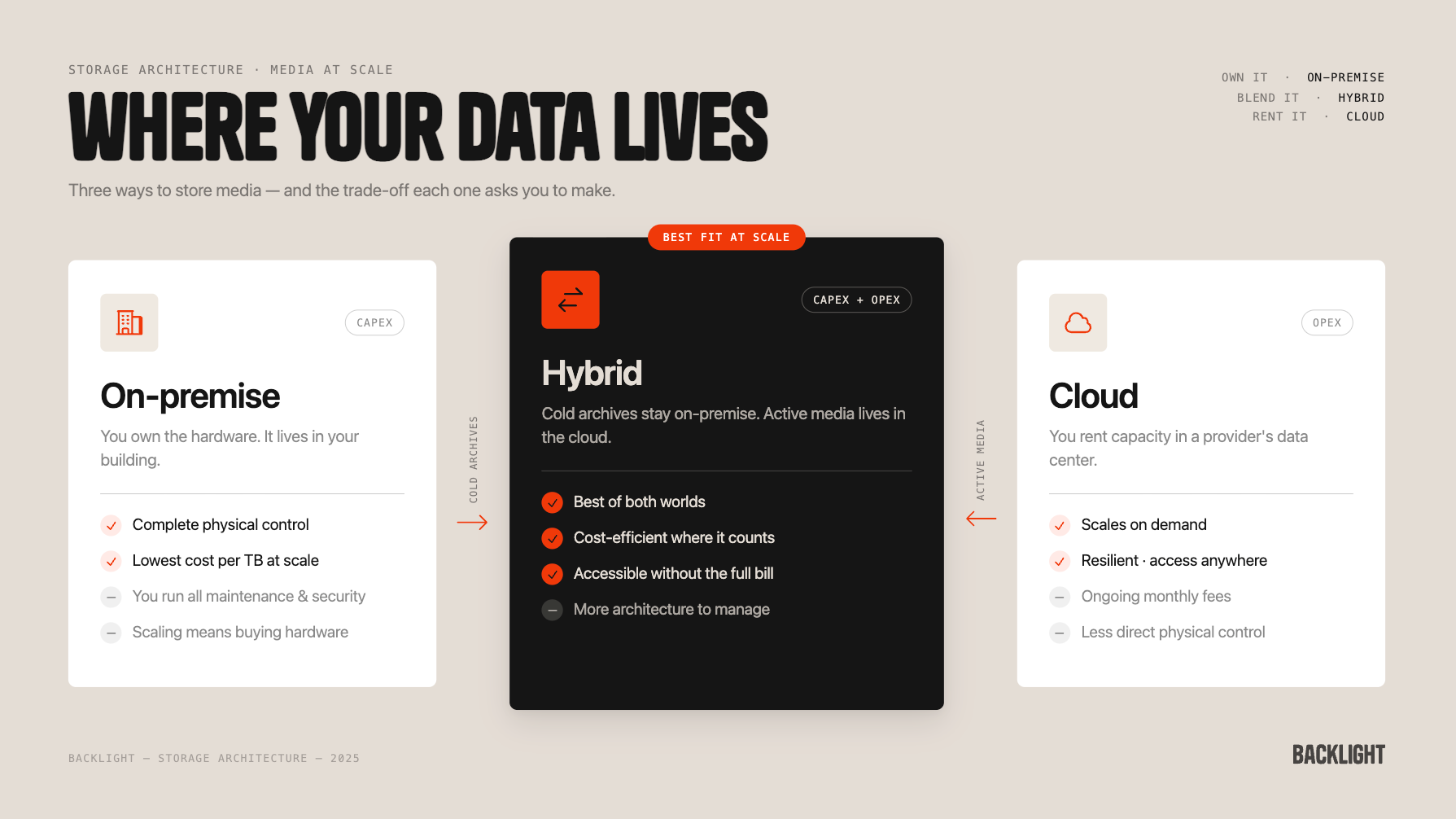
On-premise (On-prem): This is the classic setup. On-premise storage means you own the hardware and house it yourself.
- Pros: You have complete physical control, and for large archives that don't change often, it's typically the most cost-effective option — a capital expenditure (Capex) model where the upfront investment replaces ongoing service fees.
- Cons: The trade-off is operational: you're responsible for all maintenance, security, and capacity planning. Scaling up means buying and installing new hardware.
The Cloud: Cloud storage inverts the on-prem model. You're renting capacity in data centers run by providers like Google, Amazon, or Microsoft.
- Pros: Highly scalable, allowing you to "burst up" resources easily. Provides resilience against local disasters (fire, flood). Fantastic for collaboration and remote access. All without running dedicated infrastructure.
- Cons: You pay an ongoing operational fee (Opex) that covers their hardware, maintenance, and resilience infrastructure.
Hybrid: A "best of both worlds" approach. Large, infrequently accessed archives stay on-premise, where the cost per terabyte is lower; active, collaborative, or business-critical content sits in the cloud, where accessibility matters more. For most media-heavy organizations, hybrid architecture makes the most sense at scale.
Hot, cold, and egress: understanding cloud cost tiers
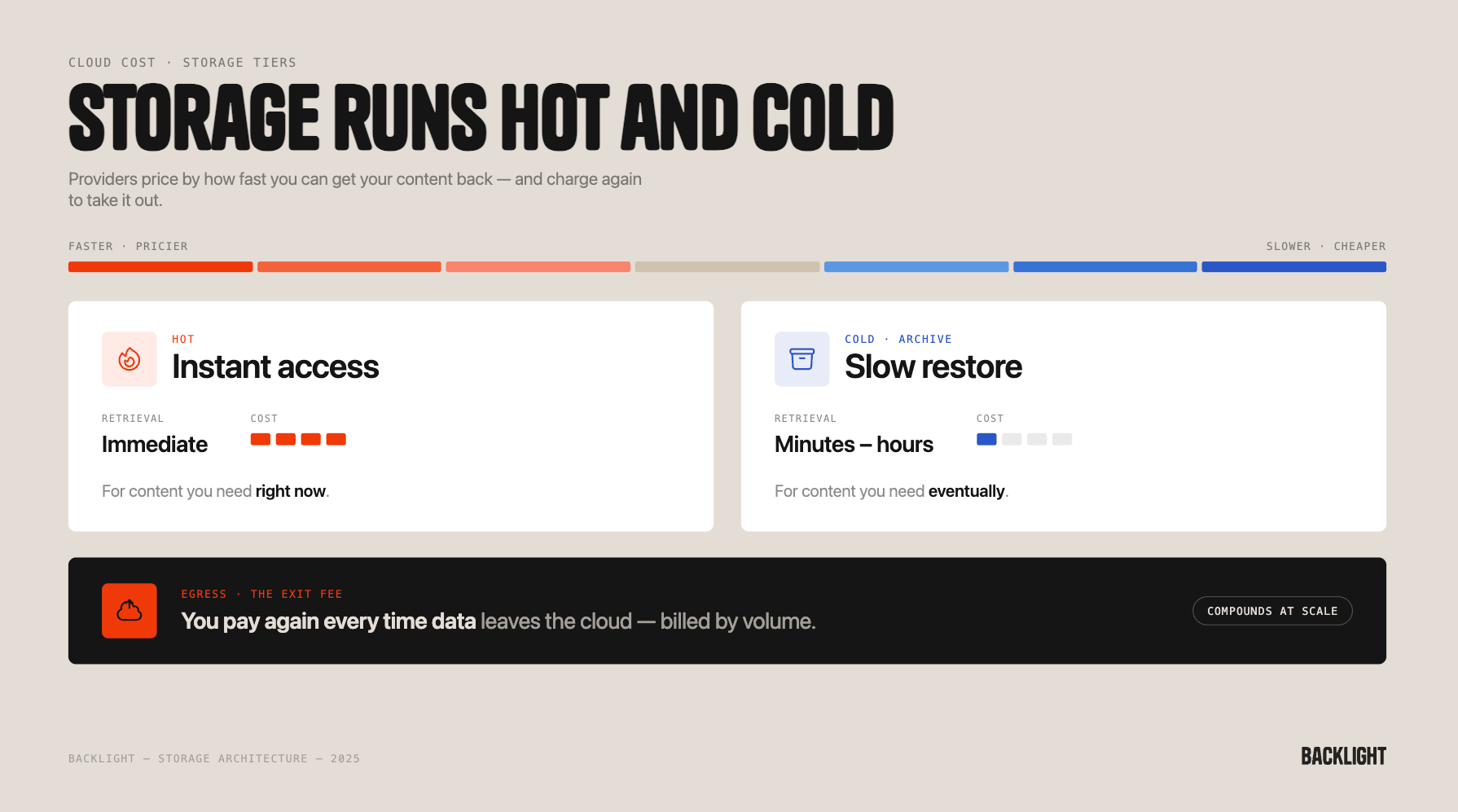
Cloud providers don't charge a flat rate for storage. They price based on availability, using temperature tiers that reflect how quickly you can access your content.
- Hot storage: Your files are immediately accessible — equivalent to a file on your desktop. It requires the fastest, most readily available infrastructure, which makes it the most expensive tier.
- Cold storage: Sometimes called Glacier or Archive, depending on the provider. Cold storage uses cheaper, slower media — often digital tape systems. Accessing a file from cold storage requires a restore job that can take anywhere from minutes to hours. It's significantly cheaper, but the latency is real, and the costs of moving content out aren't always obvious upfront.
The simple rule: content you need right now belongs in hot storage. Content you need eventually belongs in cold.
The second major cloud cost to watch out for is Egress. When data leaves a cloud environment to reach you — for a download, a review, a delivery — the provider charges by volume. The more frequently your team pulls original high-resolution files from the cloud, the higher that bill gets. It's easy to underestimate, and it compounds quickly at scale.
The practical fix: proxies and hybrid storage management
For media-heavy operations, the most effective way to control both storage and egress costs is to separate what your team needs for day-to-day work from what they need for final delivery.
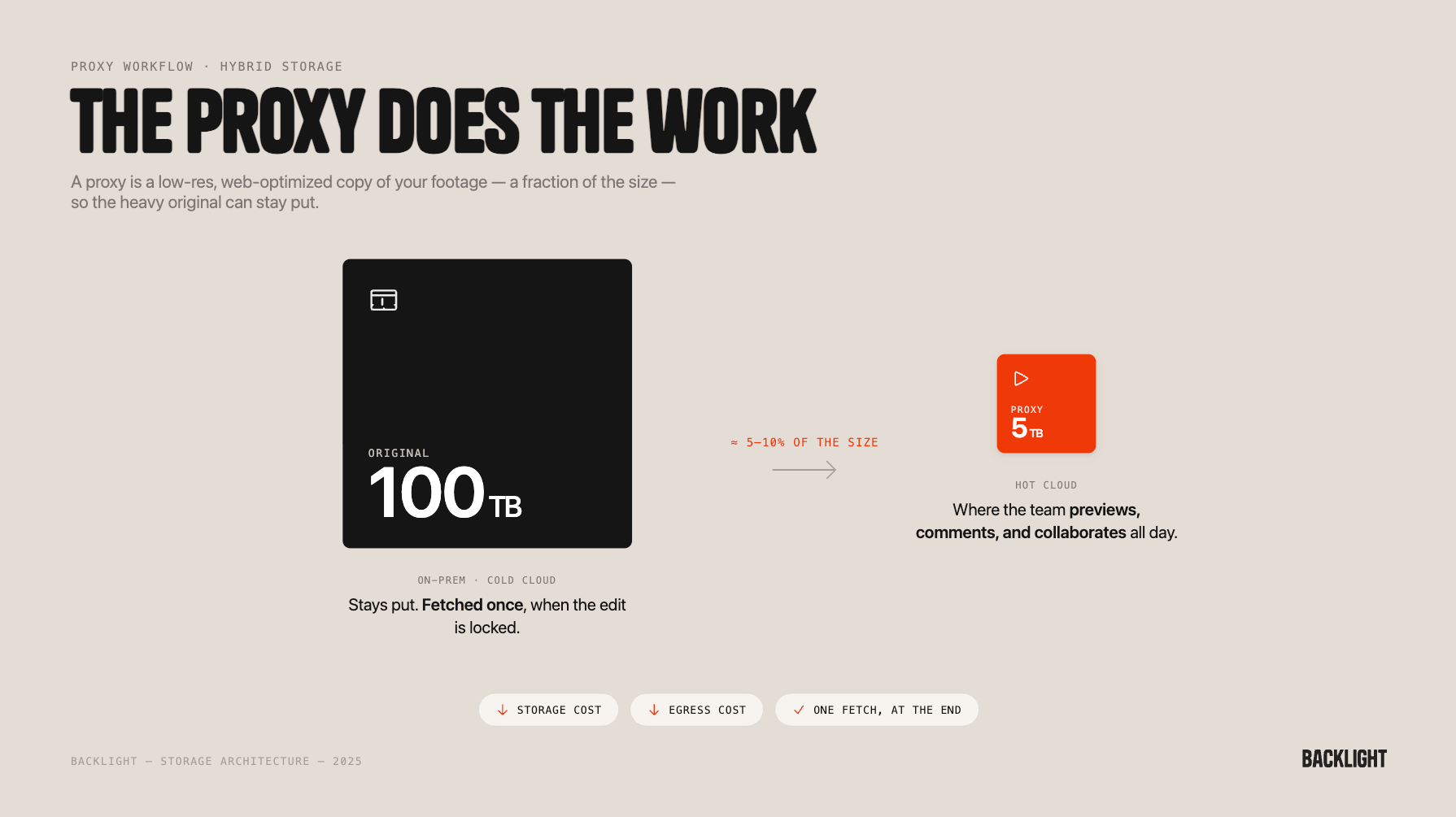
That's where proxy files come in. A proxy is a low-resolution, web-optimized version of a source file — typically around 5–10% of the original file size. It's not the deliverable; it's the working copy your team uses to preview, comment, and collaborate before the final cut goes out.
So, with a hybrid approach to storage, instead of storing your full 100TB archive in expensive Hot Cloud, a practical approach might be to:
- Store the original 100TB file in cost-effective On-Premise or Cold Cloud storage.
- Upload only the 5TB of web-friendly proxies to the Hot Cloud.
This way, your team can instantly preview, comment, and collaborate using the small proxy files online, saving massive amounts on storage and Egress costs, and only fetching the massive original file when the final edit is ready.
Day-to-day, nobody is touching the originals. Egress costs stay low. Storage costs stay low. And when the edit is locked, and the final file is genuinely needed, you fetch it once.
Where Iconik helps
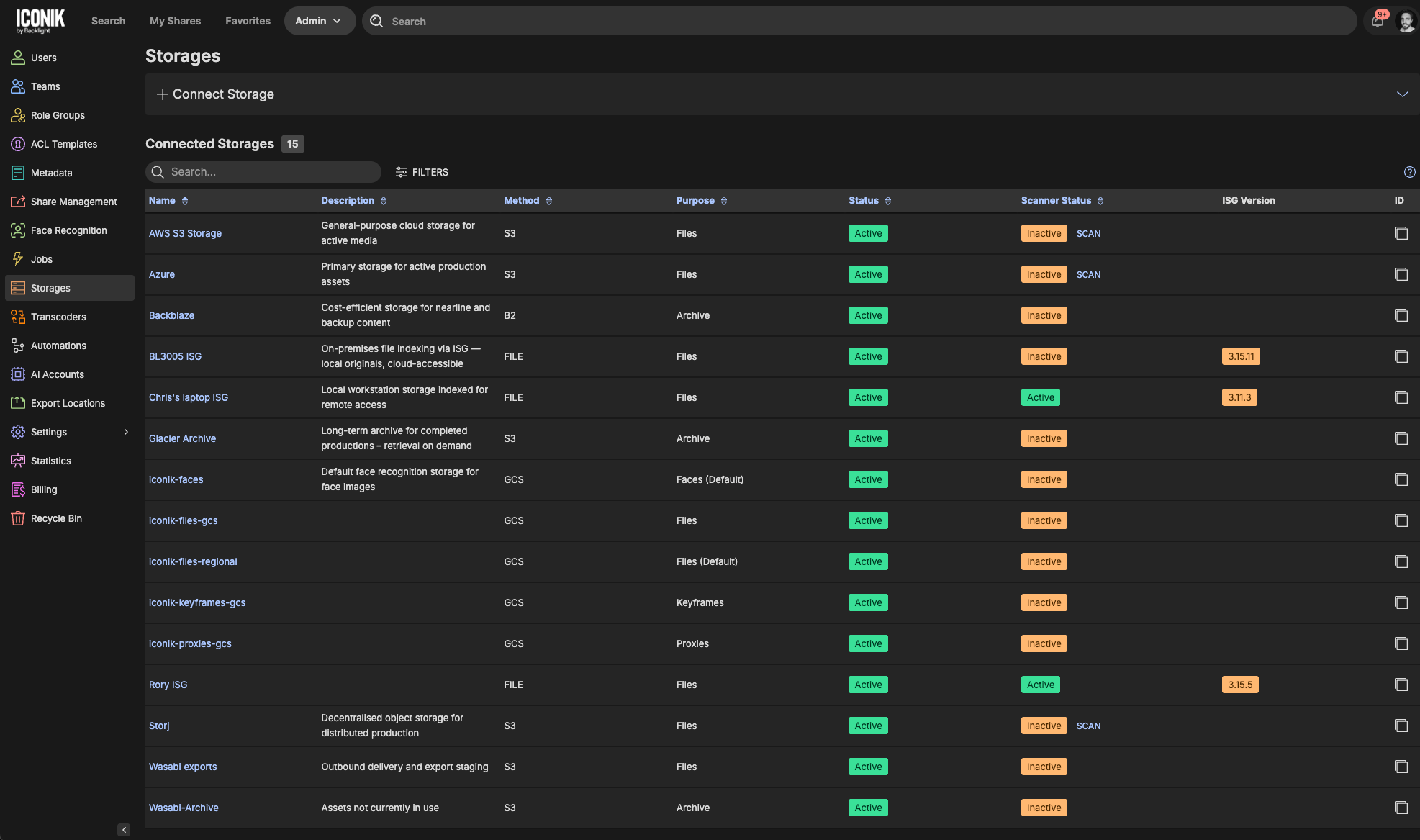
Of course, this approach only works if something is keeping track of where everything actually is. Iconik acts as the central layer that maintains that map — knowing which originals are on-site, which are in cold cloud, and where each corresponding proxy lives — while presenting your team with a single, clean interface. From a user's perspective, every file appears accessible and ready to work with. Under the hood, Iconik routes requests to the appropriate storage tier and, by default, surfaces proxies to avoid unnecessary egress.
Combined with Iconik's archive automations, that logic can be applied systematically: moving content to colder storage tiers based on age, usage, or project status, without anyone having to manage it manually.
Getting the architecture right doesn't require a wholesale migration. Most organizations find that the biggest savings come from auditing what's currently in hot storage that doesn't need to be, and applying a proxy-first approach to how their team accesses content day-to-day.
Where to start
- Map your current storage: what's in hot cloud that could move to cold or on-prem without affecting active workflows?
- Enable proxy access as the default for your team's day-to-day review and collaboration, reserving original file access for final delivery.
- Use Iconik's archive automations to define rules that move content to cheaper tiers automatically, so the cost management doesn't depend on anyone remembering to do it

Ben Studer is a creative pragmatist bridging the gap between media production and technical SaaS, leading Backlight's European team of technical product experts. He leverages his background as a video editor and media manager to deeply understand client requirements, optimizing workflow efficiency to maximize platform adoption and drive long-term client retention.