.svg)


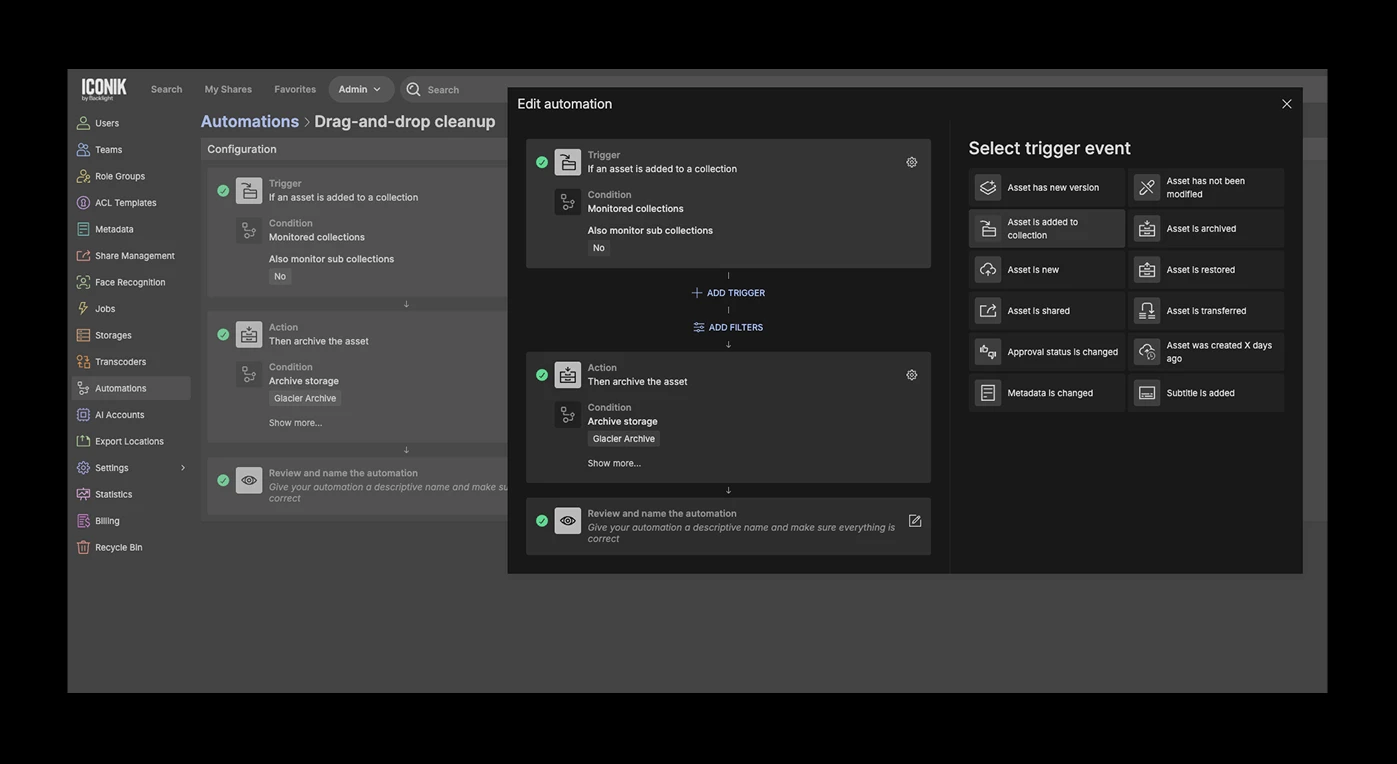
Table of contents

Every conversation about media asset management eventually lands in the same place: storage. Specifically, the cost of it, the management of it, and the quiet dread that sets in when your active storage starts hitting capacity.
When that happens, everyone in the building knows what needs to happen. Older, completed projects need to move to a more cost-effective long-term storage tier.
The technical capability to do it usually exists. The problem is everything that happens before the files actually move.
The bottleneck: Negotiating for space
In most production environments, the archiving bottleneck isn't technical. It's human.
If you've worked in IT or Operations at a media organization, you know this scene: walking the floor, tapping producers on the shoulder, asking what's safe to move so you can clear data from a server. It’s a painfully manual process.
Furthermore, creative teams are heads-down on their next deadline, not thinking about storage hygiene. They're reluctant to let go of files they might need again. So IT ends up in a cycle of begging for permission to clean up the environment while expensive hot storage fills up with assets nobody has touched in months.
So, when archiving depends on a human pressing a button, it becomes unpredictable. Files sit on expensive hot storage far longer than necessary. Monthly bills creep up. And the conversation starts again.
The solution: No-code automations
Being able to automate this process without writing a single line of custom code can be a game-changer for IT and Operations.
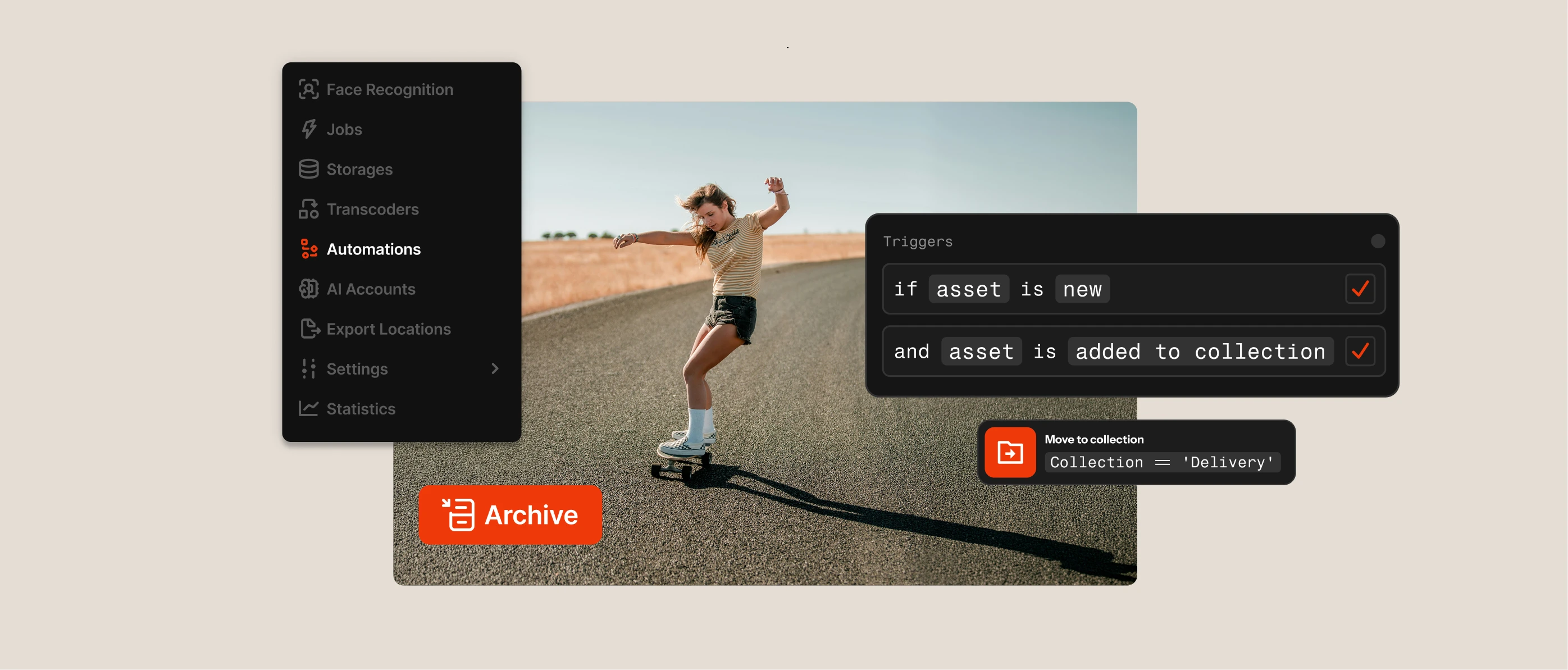
Iconik Automations are built directly into the administrative UI. They operate on a simple "if this, then that" logic: you define a Trigger, and Iconik performs a subsequent Action. No custom code, no developer dependency: just a workflow you configure once and let run.
When applied to archiving, Automations completely bypass the human bottleneck. Iconik can move heavy original media files to a connected Archive Storage bucket (an S3 bucket with a lifecycle policy applied) while leaving lightweight web proxies intact and fully searchable in the cloud for lightweight collaboration and review.
When an editor needs that high-resolution file again, they run a restore job and continue working on proxies while the original is returned exactly where it came from.
Here are three powerful ways you can leverage Iconik Automations to achieve predictable storage utilization and significantly lower your costs:
1. The "set and forget" time-based archive
The most direct approach: enforce a lifecycle policy automatically.
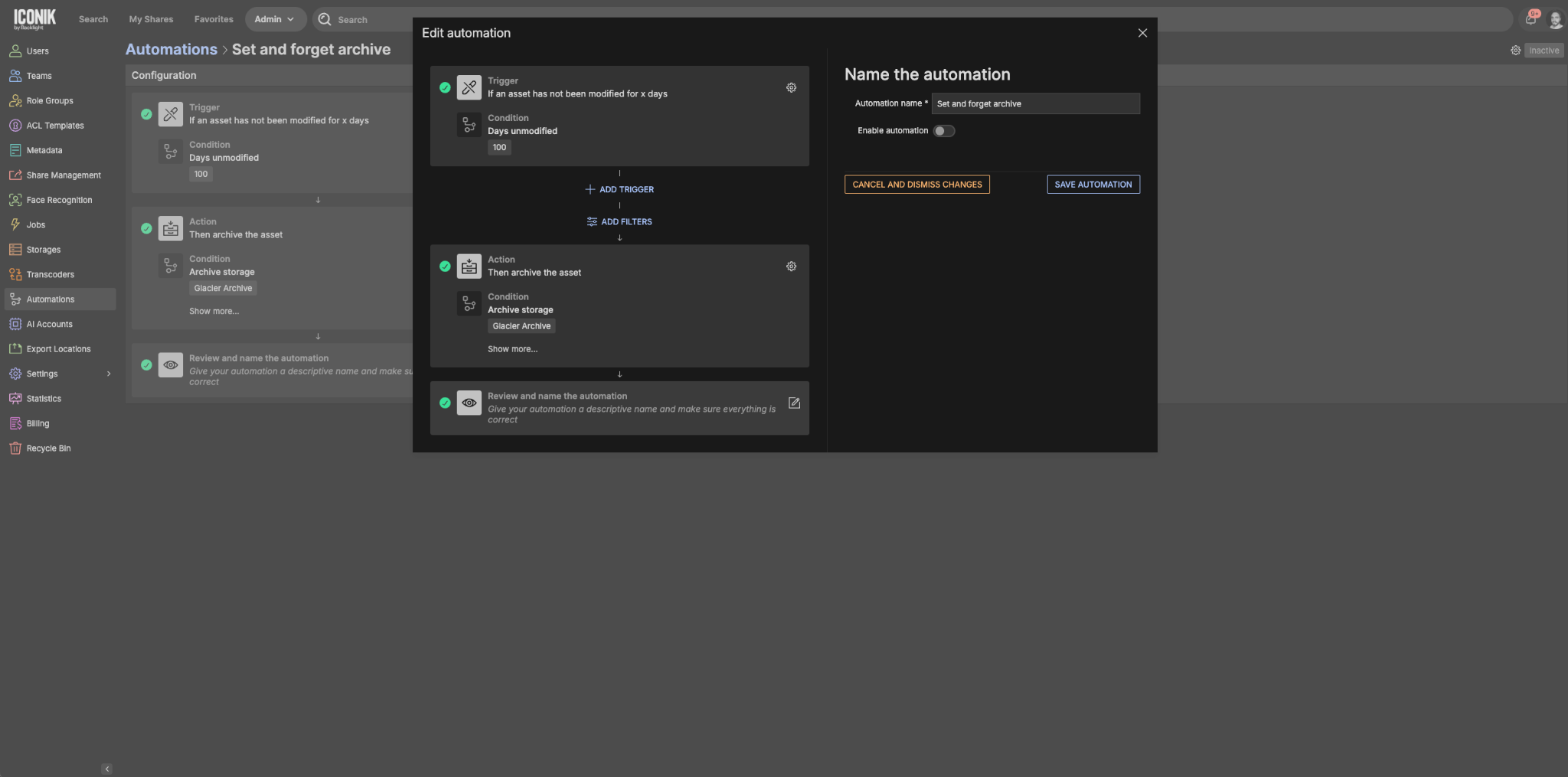
In Iconik, you can set a trigger for "Asset has not been modified" and define the timeframe — 30 days, 365 days, whatever matches your operational reality. If an asset sits untouched for that period — no metadata updates, no new comments, no movement — the automation fires.
The action is set to "Archive Asset." You define the destination, check the box to "Delete after archive," and walk away.
The result: After a period of inactivity, the heavy file moves to cost-effective cold storage and is purged from your expensive hot server. No emails, no negotiations. And if that file was duplicated across multiple hot storages, archiving consolidates it down to a single copy in cold storage — reducing your footprint automatically.
Your storage costs stop being a variable and start being predictable.
2. The metadata "easy button"
Sometimes you still want the creative team involved in the decision: you just don't want to hand them a complex, scary archive interface and hope for the best.
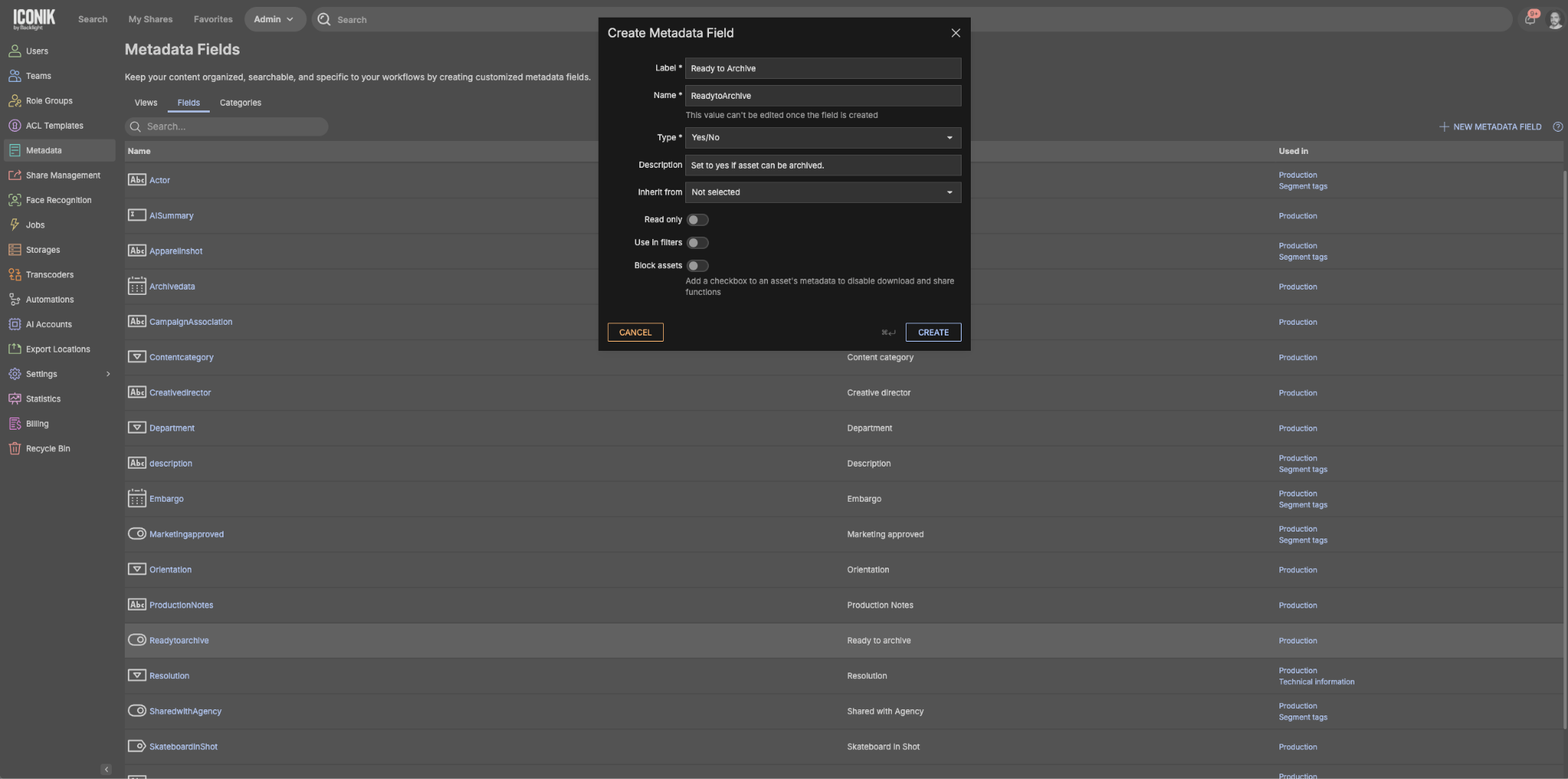
Instead, with Iconik, you can initiate a highly complex workflow via a single, simple toggle in your metadata.
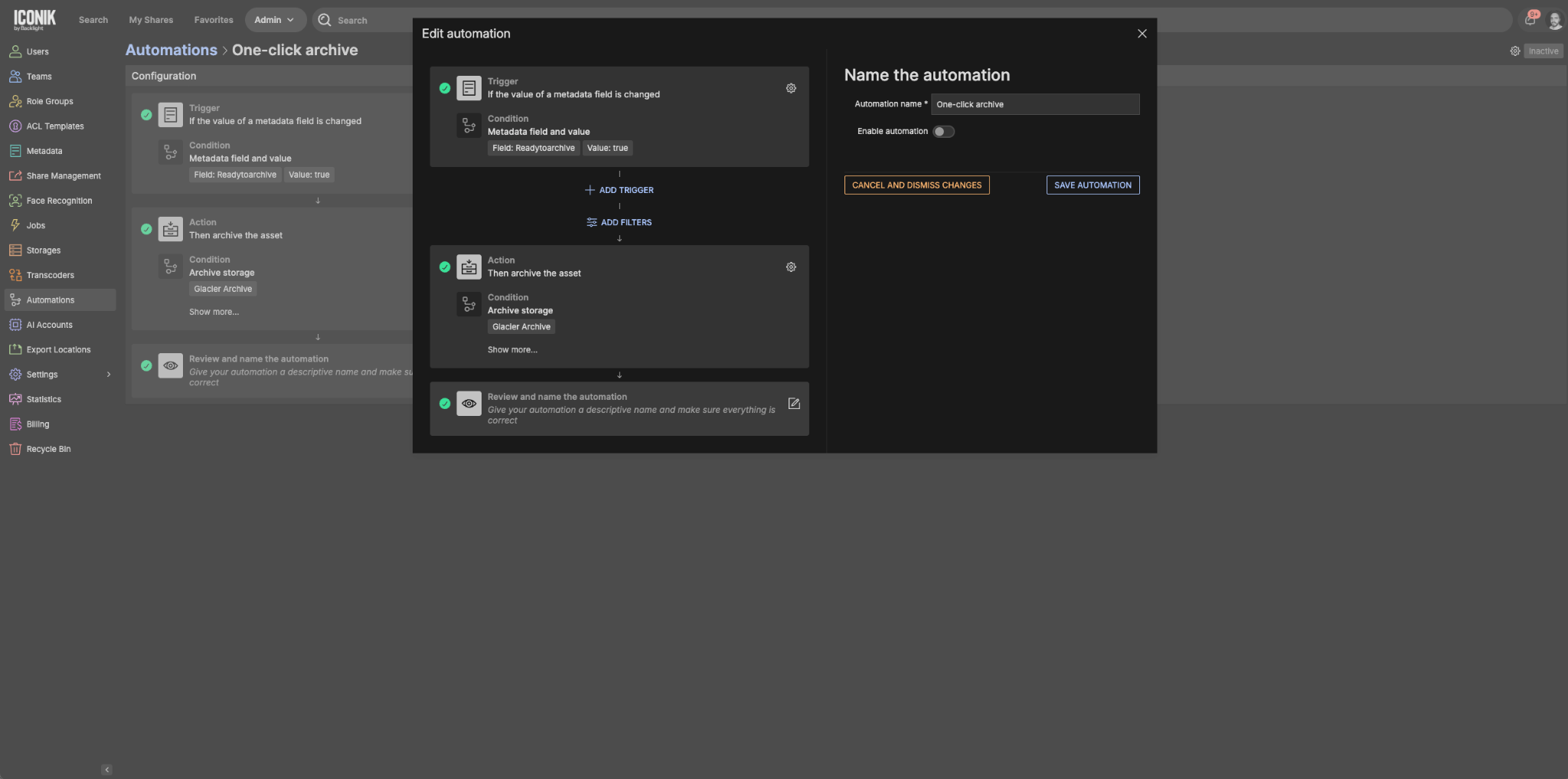
Simply create a custom metadata boolean (yes/no) field called "Ready to Archive" and surface it in your users' standard metadata view. Then build an automation where the trigger is "Metadata is changed": if the “Ready to Archive” field is set to True, Iconik executes the archive action.
The result: the producer checks a single box. They never see a storage selector, a deletion confirmation path, or anything that gives them pause. The automation handles everything safely behind the scenes. You get the compliance, they get the simplicity.
3. The drag-and-drop cleanup
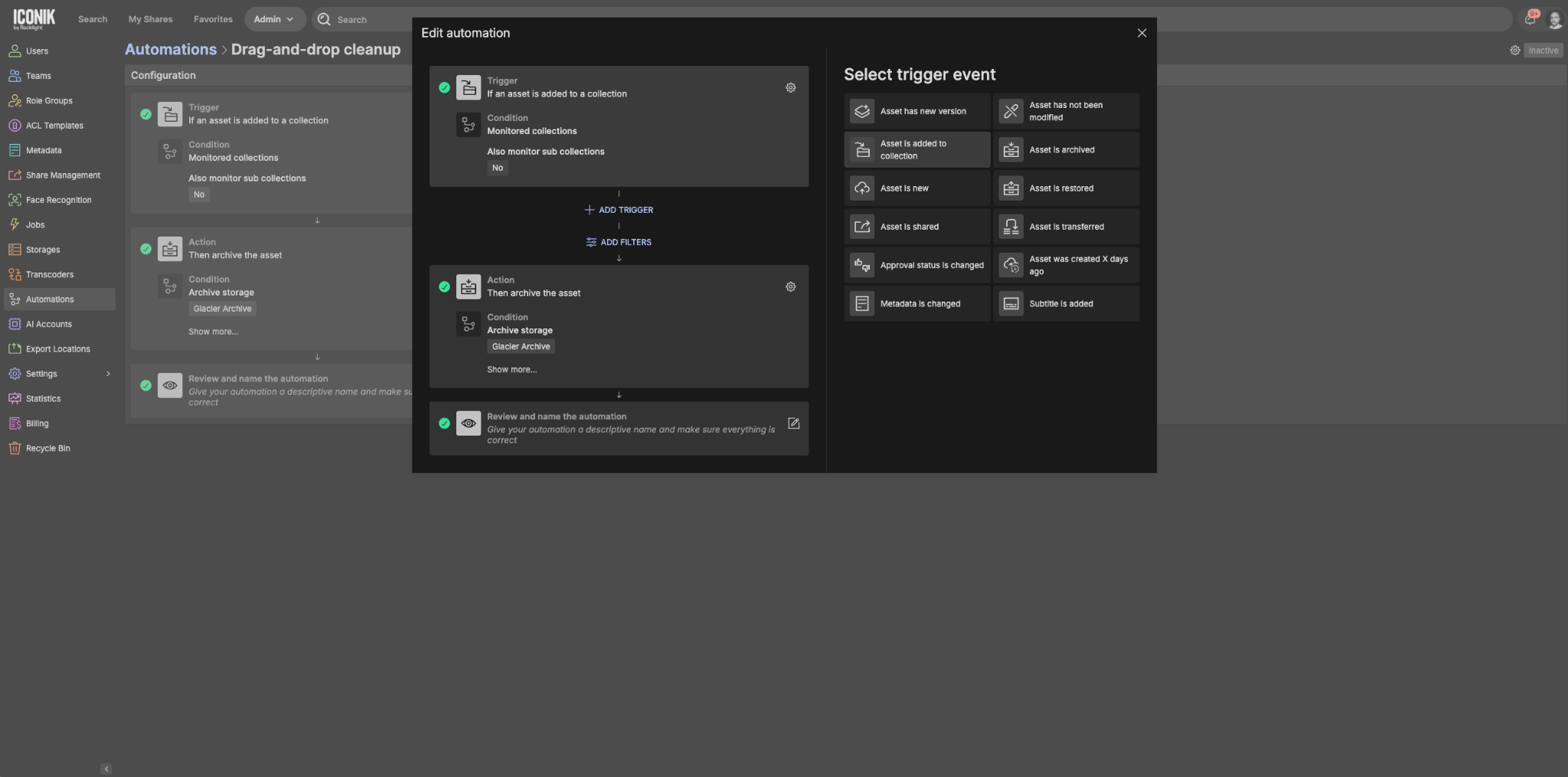
For teams where even a checkbox is too much friction, you can trigger archiving based on where an asset lives.
Set up a virtual collection in Iconik called “Cleanup”, "Archive", "Ready to Archive", or similar. Set an automation trigger for "Asset is added to a collection." When an editor finishes a project and drops the final assets into that folder, the automation takes over immediately and archives it.
The result: the creative workflow and the archive workflow become the same action. No separate process, no separate request, no follow-up required.
As system administrators and operations professionals, your job is to build an environment that runs efficiently at scale, without turning your team into full-time data managers. Iconik Automations give you the infrastructure to do that.
The bottleneck of human negotiation gets removed. Storage costs become predictable. Your storage infrastructure becomes more reliably optimized. And the conversation about what to archive next stops happening, because the system already knows.
Where to start:
- Archive Storage requires connecting an S3-compatible bucket with a lifecycle policy applied. Your Iconik environment supports this natively
- Automations are configured directly in the admin UI. No code required
- The metadata boolean field for the "Easy Button" approach can be created and surfaced in minutes
You don’t have to deploy all three approaches at once. Start with the time-based archive and let it run.
For teams on cloud storage, the savings show up fast — you’ll see it in next month’s bill.
For teams running on-prem, the math works differently but it still works: less active storage means aging hardware you can depreciate on your own terms, support contracts you don’t have to renew, and maintenance overhead that quietly shrinks.

Bryan Nelson is Director of Customer Enablement at Backlight with over 15 years of experience in media technology. He specializes in helping organizations adopt and scale the tools and technologies that power production and post-production workflows. He leads the Customer Enablement team, which specializes in product onboarding, training, and best practice consultation.